The intervention report software for HVAC and building services
Document each intervention with photos on the plan, annotate by audio and video, then generate a ready-to-send PDF report. Built for heating, cooling, plumbing and HVAC technicians.
An intervention report software replaces the Word template: you take your photos on the plan, you annotate, and the report is generated automatically as a PDF.
PhotoReport turns a heating, ventilation or plumbing intervention into a photo report in minutes. Pin each photo on the PDF plan, add your observations as text, audio or video, then export a ready-to-send PDF or HTML report for the client. No more manual layout, no more photos lost in your camera roll.
Were you looking for an intervention report template?
A Word template still forces you to insert photos one by one and redo the layout after every intervention. Software handles it for you: the photos are already pinned on the plan and the report is generated automatically. Download the template if you are just starting out, or let the app do the work.
Document every intervention without wasting time
Between installations, maintenance visits and repairs, you do not have time to write Word reports in the evening. With PhotoReport, photograph, annotate and export your intervention reports in minutes, straight from your smartphone.
The constraints of intervention documentation in HVAC
Reworking photos and observations at the office to write the intervention report means less time on your heating, ventilation or plumbing jobs.
Undated photos, equipment with no location... Incomplete documentation of an installation or repair makes the evidence hard to find later.
Running installation, maintenance and repair jobs across several sites without mixing up photos takes flawless organization.
A simple, structured intervention report
Photograph on the plan
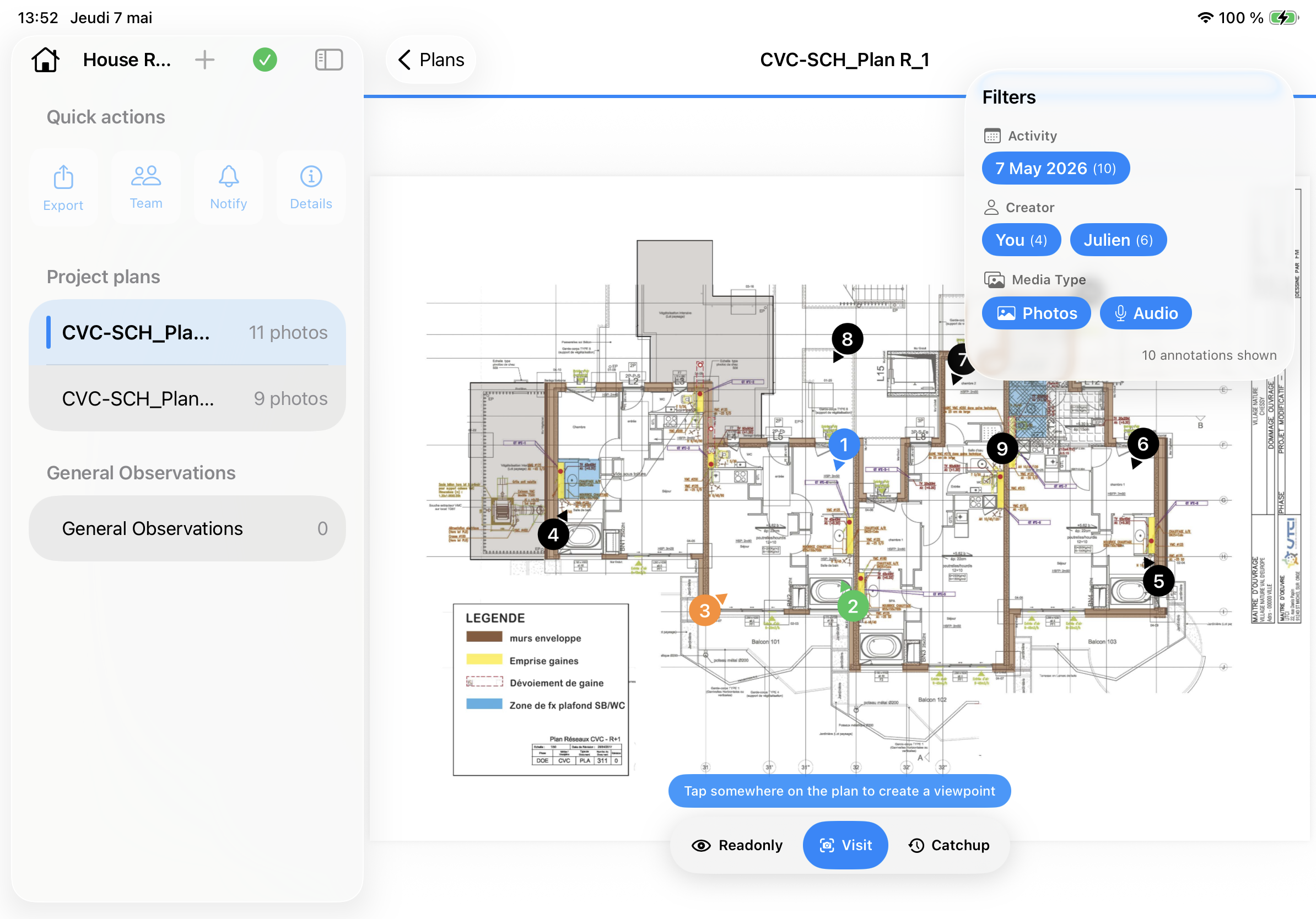
Take your photos and pin them directly on the PDF plan of the installation.
Annotate by audio or video
Add your observations as text, audio or video, sorted by zone or by equipment.
Generate the report
PhotoReport assembles a ready-to-send PDF or HTML intervention report.
Simple to pick up, exhaustive in the field
No bloated software: PhotoReport stays instant, even on the largest installations.
Handle hundreds of shots and the largest technical plans without slowing down.
Find the right equipment photo in one gesture and cut down on repetitive work.
Ready to use right away, where complex tools take hours to learn.
PhotoReport in action
Everything you need to document an intervention
Capture every piece of equipment and every detail in high definition, with no compression.
Pin each photo at the right spot on the PDF plan of the installation.
Dictate your observations or film a specific piece of equipment, without retyping anything.
Send the report through a password-protected link.
Take it up a notch
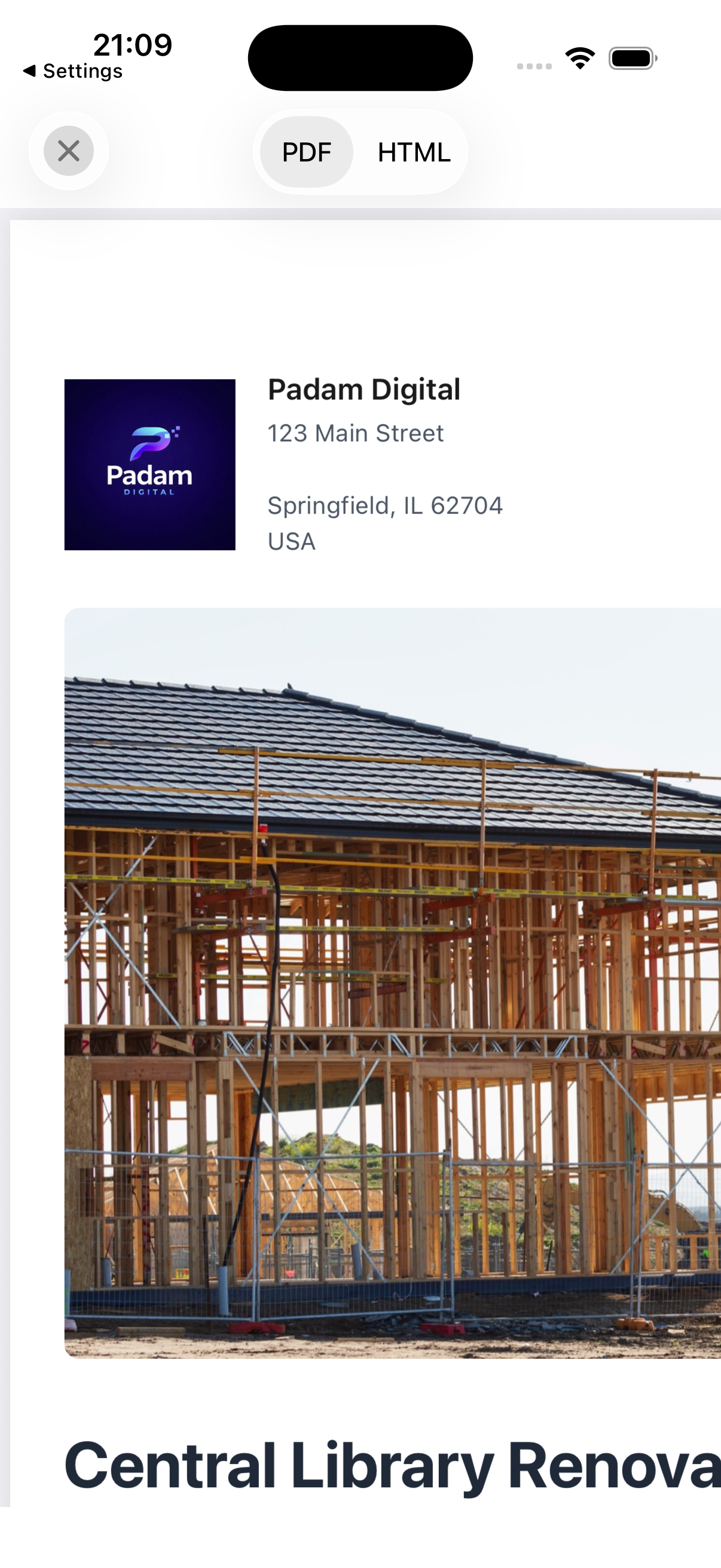
Add your company logo to the cover of every intervention report, with unlimited projects and exports and 5 GB of storage.
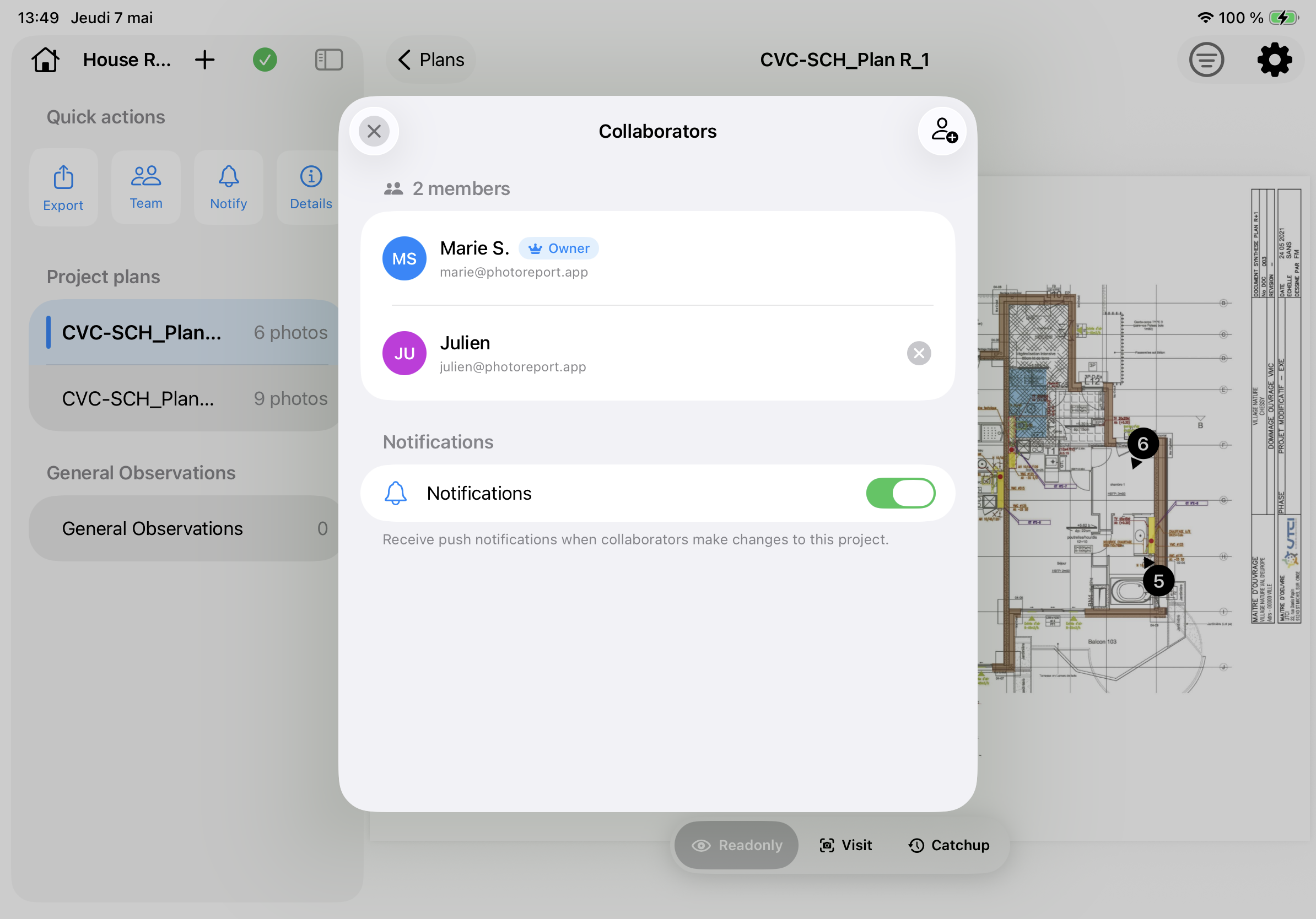
Work together on one installation: every technician's photos and annotations sync in real time.
Built for intervention documentation
- Intervention reports in minutes
- Multi-site tracking from a single device
- Simplified handover to the client
- Photos sorted automatically by zone and by plan
- Offline mode: document even in a boiler room with no network
- Professional PDF and HTML reports
- Real-time collaboration with PhotoReport Teams
- Complete photo traceability of every intervention
"I was looking for an app that would give me real site tracking, without it being an overcomplicated mess, and with PhotoReport that is done. On top of that, the administrators respond quickly to development needs."
"I use the app at least once a week, and no more headaches sorting photos. Super easy to use!"
"Smooth and easy! Never crashed during my inspections. Tag and photos are fast. I love this app :) highly recommended."
Frequently asked questions
What is the best intervention report software for HVAC?
The best software is the one that generates the report for you, straight from the field. PhotoReport pins your photos on the plan, handles audio and video annotations, and exports a professional PDF or HTML in minutes, ready to send to the client. PhotoReport documents the intervention with photos: it is not a quoting, invoicing or scheduling tool.
How do you make an intervention report with photos?
Take your photos in the app, pin them on the PDF plan, add your observations, then generate the report. Everything happens from your phone, even offline in a boiler room.
Can you generate an intervention report as a PDF automatically?
Yes. PhotoReport automatically assembles your photos and annotations into a single-page PDF report, ready to send to the client after every installation, maintenance or repair.
Is there a free intervention report app?
PhotoReport offers a free version with one project and three exports. The 7-day free trial applies to the annual subscription.
Does PhotoReport work offline on site?
Yes. You document your interventions with no network, even in a basement or boiler room; everything syncs automatically as soon as the connection comes back.
Does PhotoReport handle invoicing and intervention scheduling?
No. PhotoReport focuses on photo documentation of the intervention and generating the PDF report. It does not handle quotes, invoicing, time tracking, parts management or scheduling: it is a documentation tool, not a complete field-service management solution.
Can reports be customized with my company colors?
Yes, with PhotoReport Pro: add your company logo to the report cover, with unlimited projects and exports.
Can several people work on the same site?
Yes, with PhotoReport Teams: several technicians document the same installation and both the photos and the annotations sync in real time.