Construction report app: 2026 comparison (the simplest one)
You spend the day on site, then the evening reformatting your photos in Word. You resize each image, write the captions, renumber everything, and the report finally goes out at 9 p.m. That is the moment most professionals start looking for a construction report app: a mobile tool that produces the report from the site itself, during the visit, with no trip back to the office.
The problem is that the market files tools with very different jobs under the same label. Some are simple report apps; others are heavy management platforms costing several dozen euros per user. This 2026 comparison puts the facts side by side: the four families of apps, a priced table (rates recorded in June 2026), six criteria that matter in the field, and a recommendation by profile. Including telling you when an app other than ours is the better choice. This overview focuses on the apps widely used in France and Europe.
The 4 families of construction report apps
Before comparing prices, you have to understand that these apps do not all do the same job. Picking “the best” in absolute terms makes no sense: the right question is which family the tool you need belongs to. There are four, plus the starting point many people want to leave behind.
1. Report apps (focused). Their only goal: quickly produce a clean construction photo report, from the field. You take photos, you annotate, you generate a shareable PDF or web page. This is the category of PhotoReport and BatiScript. Learning it takes minutes, and the price stays low.
2. Snag and handover apps. They go further than the report: they manage the full life cycle of snags, from logging to signed-off resolution, often all the way to the handover record. This is the territory of Archireport and Archipad. If your work revolves around the punch list and handover, this is where to look.
3. Site management suites. Plans, tasks, scheduling, checklists, sometimes invoicing and time tracking: these are complete platforms for running a site end to end. Fieldwire, Finalcad, but also French solutions like ArchiLid, Alobees, or Kalitics. The photo report is only one feature among dozens. Powerful for teams, oversized for anyone who just wants to document their visits.
4. Form builders. Generic tools like Kizeo Forms (starting around 15 €/month/user excl. VAT) that let you build your own field forms. Very flexible, but you have to build everything yourself: these are not ready-to-use construction report apps.
And the starting point: Word, Excel, or paper. Free, familiar, but manual from start to finish. This is exactly what most people are trying to replace, and we come back to it below.
2026 comparison: pricing, platforms, and core job
Here are the six most-cited apps, compared on what decides the choice of a field tool. The rates are indicative, recorded in June 2026 on the vendors’ sites, and worth checking before any subscription (price lists change, and several are quoted excluding VAT).
| App | Platforms | Indicative price | Core job | Offline | Best for |
|---|---|---|---|---|---|
| PhotoReport | iPhone, iPad, Web (Android soon) | Free, then 19 €/month (190 €/year) | Field photo report | Yes (local) | Solo and small teams |
| BatiScript | iOS, Android | Quote-based | Project manager report | Yes | Project managers, architects |
| Archireport | iOS, Mac, Windows, Web | ≈25 €/month/user | Report + snags | Partial | Architecture firms |
| Archipad | iPad, Web | 50 to 85 €/month/user (excl. VAT) | Snags and handover | Partial | Clients, developers |
| Fieldwire | iOS, Android, Web | Free, then 39 €/month/user | Plans, tasks, tracking | Yes (plans) | Teams, large sites |
| Finalcad | iOS, Android, Web | Free trial, then quote-based | Suite, non-conformities | Yes | Companies, structured tracking |
The price gap jumps out: from 0 to more than 80 €/month per user, for tools shelved in the same category. The rest is harder to see. A high price does not buy a better report, it buys a wider scope: snag management, scheduling, multiple stakeholders. If you do not use that scope, you are paying for features you will never open.
How to pick the simplest: 6 field criteria
Once you have identified the family, six criteria are enough to separate the apps. These are the ones that cost or save you time every week, on site.
1. Offline operation. Basement, parking garage, dead zone, a new build with no network: if the app needs the cloud to work, you will be stuck at the worst possible moment. A tool that stores locally and syncs later is non-negotiable for field work. Check this point first, and test it on a real site, not on the sales sheet.
2. Photos pinned to the plan. This is the marker that separates an amateur report from a professional one. Being able to place each photo at the exact spot where it was taken, on the floor’s PDF plan, saves the reader from guessing where the issue sits across 1,200 m². Several apps offer it (PhotoReport, Archireport, Archipad, Fieldwire); above all, check how fast the gesture is, because that is the one you will repeat a hundred times per visit. Our detailed method is in locating your site photos on the plan.
3. Ease of use. An app your team does not adopt is useless. Focused tools are usable in minutes; full suites often need half a day of training to be put to work. Ask yourself: how many of your colleagues will use it in the field, and with what learning curve?
4. Export formats and sharing. The report has to reach the client in a format they can open without installing anything. PDF remains the universal standard. A web page shareable by link (ideally password-protected) is a plus for photo-heavy reports. Be wary of tools that only export within their own ecosystem.
5. The real price, per user and per year. An attractive monthly rate can hide mandatory annual billing, a minimum commitment, or a per-user cost that balloons across a team. At 25 €/month/user, a team of five already costs 125 €/month. Always calculate over the year and over the real number of users.
6. Scope: report alone or full suite. This is the criterion that sums up all the others. Do you need an app that produces the report, or a platform that runs the site? Paying for scheduling, time tracking, and invoicing when you just want to document your visits is the number one source of regret after subscribing. The right tool is the one whose features you will use 90% of, not 10%.
PhotoReport: the photo report, simple and field-first
PhotoReport belongs to the first family, the apps focused on the report. The tool does one thing and does it fast: turn a site visit into a clean report, straight from the iPhone or iPad, with no trip back to the computer.
You import the floor’s PDF plan, you drop a pin at the exact spot of each photo, you add an annotation, a written comment, or an audio memo, and the report generates itself: a PDF ready to send, or a shareable HTML page that the recipient opens without installing anything. The photos are high definition, video walkthroughs and audio comments are handled natively, and everything works offline since the data is stored on the device first. Learning it takes minutes, not half-days.
On price, PhotoReport stays accessible: a free plan (one project, unlimited plans and photos, three exports with no time limit) to test in real conditions, then the Pro plan at 19 €/month or 190 €/year, and the Teams plan at 39 €/user/month for collaboration. For construction photo reporting alone, it is the most straightforward value on the market.
The trade-off for this simplicity: PhotoReport is not a snag management platform with a signed-off resolution workflow. If your daily work is building handover and tracking hundreds of multi-trade snags through to the handover record, look at Archipad or Finalcad instead. PhotoReport documents a snag through the located photo and lets you re-photograph it once fixed, but the formal resolution cycle is not its job.
See what a real report looks like
Rather than a marketing screenshot, here is a full report (project “Riverside Apartments, Phase 2”) produced automatically by PhotoReport: photos located on the plan, observations, annotations. Exactly what you deliver to the client.
The other focused app on the market, BatiScript, plays in the same category on the site report side, with an iOS and Android app and a Word version of handover records. Its pricing is quote-only, which makes a price comparison hard without going through their sales team.
Archireport and Archipad: focused on snags and handover
These two French apps step up in scope. They are not satisfied with the report: they manage the full snag cycle, all the way to handover.
Archireport is available on iOS, Mac, Windows, and web, which makes it the most cross-platform tool in the comparison. It combines the site report, snag management with photos and positions on the plan, and heavy customization of export templates. The Solo plan starts at around 25 €/month per user (cheaper with annual billing), with a 30-day trial, and a Team plan for firms. It is a good choice for an architecture firm that wants a rich, consistent tool shared across several staff, at the cost of a steeper learning curve than the focused tools.
Archipad specializes in snag management and building handover, mainly for clients and developers. The iPad and web app excels at logging snags on the plan and tracking fixes. The price is clearly higher: from 49.99 €/month per seat (annual) to 85 €/month for the Developer plan, with a minimum commitment. That is consistent with a scope oriented toward acceptance and handover, but oversized for anyone who just wants to document visits.
Fieldwire and Finalcad: the all-in-one suites
Here we are no longer talking about report apps, but about complete site management platforms. The photo report is just one module among many others.
Fieldwire (Hilti group) is a global reference, centered on managing plans, tasks, and checklists, with a solid offline mode on plans. The Basic plan is free but limited (3 projects and 5 users maximum), then Pro at 39 €/month per user on annual billing, and Business tiers beyond. It is the tool for teams coordinating many tasks on large sites, more than for the professional who wants a quick report.
Finalcad (now under Orisha Construction) is a site-tracking suite oriented toward non-conformity and quality management, on iOS, Android, and web. The vendor no longer publishes a public price list: it is a free trial, then a quote-based rate. It is a solution for companies structuring a quality process at scale, not for light individual use.
In the same vein, French suites like ArchiLid, Alobees, or Kalitics add scheduling, time tracking, or invoicing. And if no turnkey tool fits your process, a form builder like Kizeo Forms (starting around 15 €/month/user excl. VAT) lets you build everything yourself, at the cost of significant initial setup time.
Still on Word, Excel, or paper?
If you still do your reports in Word or Excel, you are at the starting point these apps are trying to replace. The Word approach has one merit: it is free, and everyone knows how to open it. But it stays a static document: you import each photo, resize it, place it by hand, caption it, and renumber every time you delete one. On a site with 30 observations per visit, that is one to two hours of formatting per report, and it is the first step to drop when the deadline bites.
A mobile app removes that step: you take the photo, you locate and caption it in one gesture, and the report generates itself. The gain runs to hours per week. We laid out the honest comparison in PhotoReport versus Word and Excel, and the full switch to mobile in the construction report on a smartphone. If you first want a solid writing framework, our guide to writing a construction report lays the groundwork before you choose the tool.
Which app to choose for your profile
The right app depends on your work and the size of your team. Four profiles, four answers.
- Tradesperson, freelancer, small team. Your need is a clean, fast photo report, with no heavy software budget. A focused, affordable app is the obvious pick: PhotoReport (free to start, 19 €/month after) ticks the boxes on price, simplicity, and offline. It is also the profile for whom a full suite would be a waste.
- Architect or project manager. You document regular visits and sometimes need customization and multiple seats. PhotoReport fits if photo reporting stays the priority; Archireport is worth a look if you want a highly customizable, cross-platform tool, accepting its per-user price.
- Client or developer. Your core work is acceptance and the formal resolution of snags. Archipad is built for this exact case; PhotoReport will not replace a dedicated snag workflow.
- General contractor, large team, big sites. You coordinate plans, tasks, and several trades. A suite like Fieldwire or Finalcad is made for that scale, provided you accept the learning curve and the per-user cost.
The best test is still to try it on a real visit. Most of these tools offer a free plan or a trial: take advantage of it before you commit.
FAQ
Is there a free construction report app?
Yes, several offer a free plan or a trial. PhotoReport offers one project with unlimited plans and photos and three exports, with no time limit. Fieldwire is free up to 3 projects and 5 users. Finalcad and Archireport offer a trial. It is the right way to test a tool on a real visit before paying.
Which app works offline?
Offline is essential on a site. PhotoReport stores data locally and works fully without a network. Fieldwire offers a solid offline mode on plans. Most other tools stay cloud-based with more limited offline support: check this point with the vendor and test it on a site, since sales sheets stay vague.
Is there an app on iPhone and Android?
BatiScript, Fieldwire, and Finalcad are available on iOS and Android. PhotoReport is available on iPhone, iPad, and the web, with an Android version coming soon. Archireport covers iOS, Mac, Windows, and the web, while Archipad is centered on the iPad. Check the platform before choosing, especially if your team mixes iPhone and Android.
Does an app really replace Word or Excel?
For the construction photo report, yes. Where Word forces you to import, resize, and place each photo by hand, an app does it automatically: photo taken, located, and captioned in one gesture, report generated on its own. The gain runs to hours per week. Word keeps its value for a one-off or very text-heavy document.
Which app is cheapest for solo use?
For individual use centered on the photo report, PhotoReport is the most accessible: free to start, then 19 €/month or 190 €/year. For reference, Archireport starts around 25 €/month per user, Fieldwire Pro at 39 €/month, and Archipad above 50 €/month. Always calculate over the year and per real user.
Do you need training to use this kind of app?
It depends on the tool family. Focused apps like PhotoReport are usable in minutes, with no training. Full suites like Fieldwire or Finalcad often need a few hours to get to grips with their scope. If team adoption is at stake, favor simplicity.
Try PhotoReport on iPhone and iPad
If your priority is to produce a clean construction photo report, fast, and from the field, PhotoReport is the most direct and most accessible option in the comparison. Test it for free on a real visit, then decide with full knowledge.
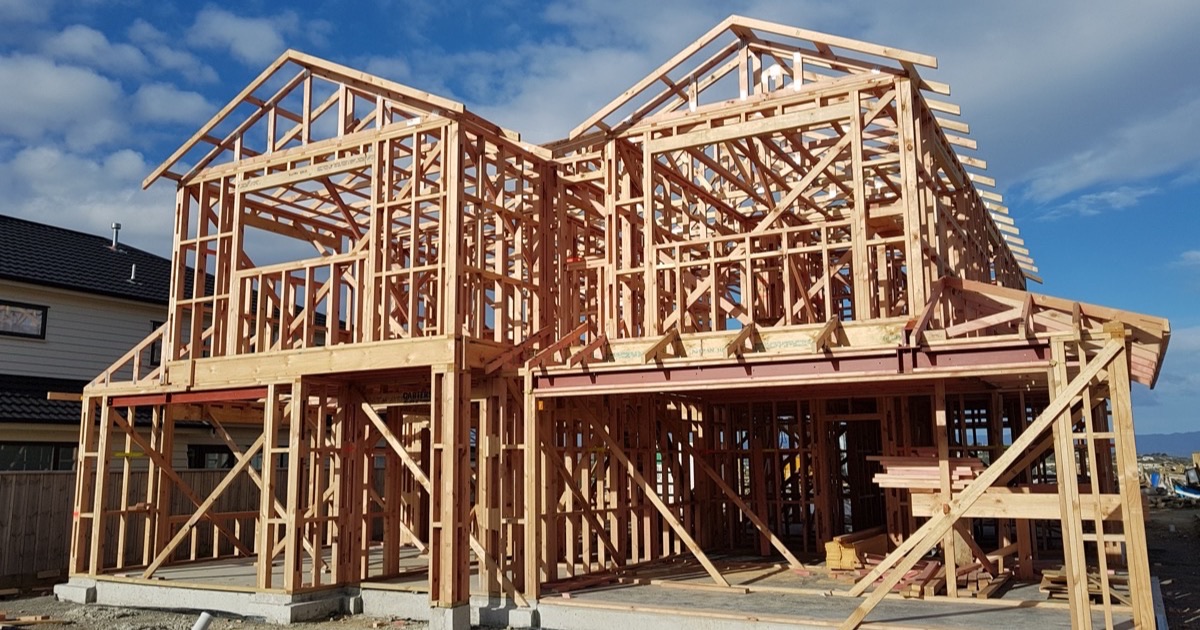
Cover image: L Maule, “Timber frame house under construction, New Zealand”, via Wikimedia Commons, CC BY-SA 4.0, cropped.