Construction site reports on a smartphone: the end of paper and Word
The field has changed device. The report hasn’t followed.
Most construction site reports still travel through the same circuit they did fifteen years ago. Morning visit with a camera and a notepad, afternoon back at the office, desktop, Word, copy-paste-resize. The report goes out by email in the evening. During those fifteen years, the professional camera, the paper plan, the notebook and the office desktop have all slipped into a single pocket: a smartphone. The field went mobile. The report stayed on a desktop workflow.
This article explains why the smartphone has become the reference tool for site reports in 2026, what you lose by sticking with paper or Word, what a mobile workflow looks like end to end, the actual time savings measured on real projects, the common objections and their concrete answers, and the equipment checklist you need before making the switch.
Four tools, one device: what the smartphone replaces
A traditional site visit used to mobilise four separate objects. Today your phone covers all four roles, and it does most of them better than the dedicated devices it replaced.
The camera. The sensor of an iPhone 13 or newer produces 12 to 48 megapixel images, optically stabilised, fit for a poorly lit stairwell or a basement late in the day. The quality has long exceeded what a site report demands, including A4 prints or zoom-in extracts inside a PDF. The argument for a “real” camera now only holds for highly specific shots (high-resolution panoramas, judicial expertise with strict metadata requirements), which remain the exception.
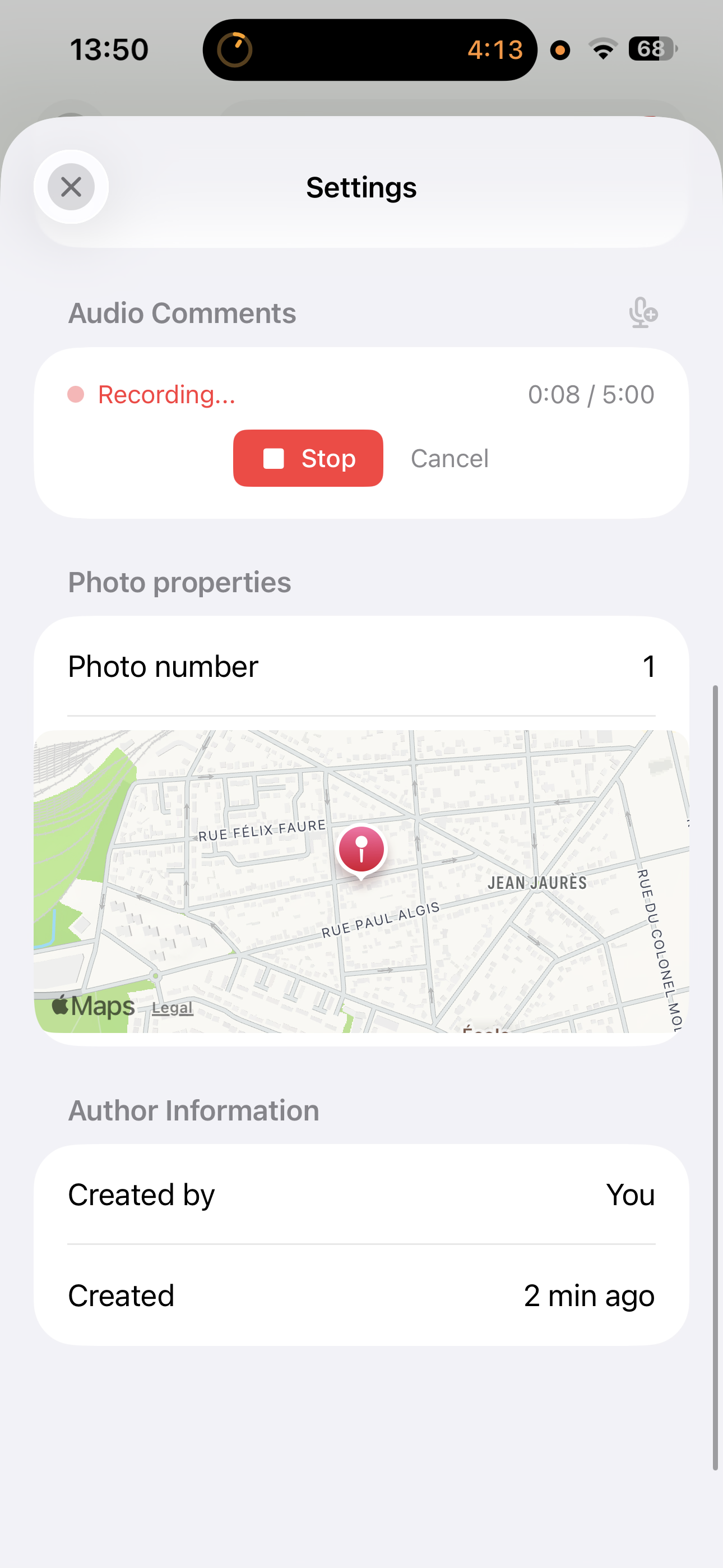
The notepad. A voice memo dictated while walking, hands free, is faster and more complete than a note scribbled on the corner of a plan. Audio notes also carry something writing rarely does: nuance. A “5 cm misalignment, needs reworking on the circulation side, watch out for the duct passage” dictated in six seconds carries three actionable pieces of information. The same observation in shorthand often ends up as “204 wall misalignment” and loses all context.
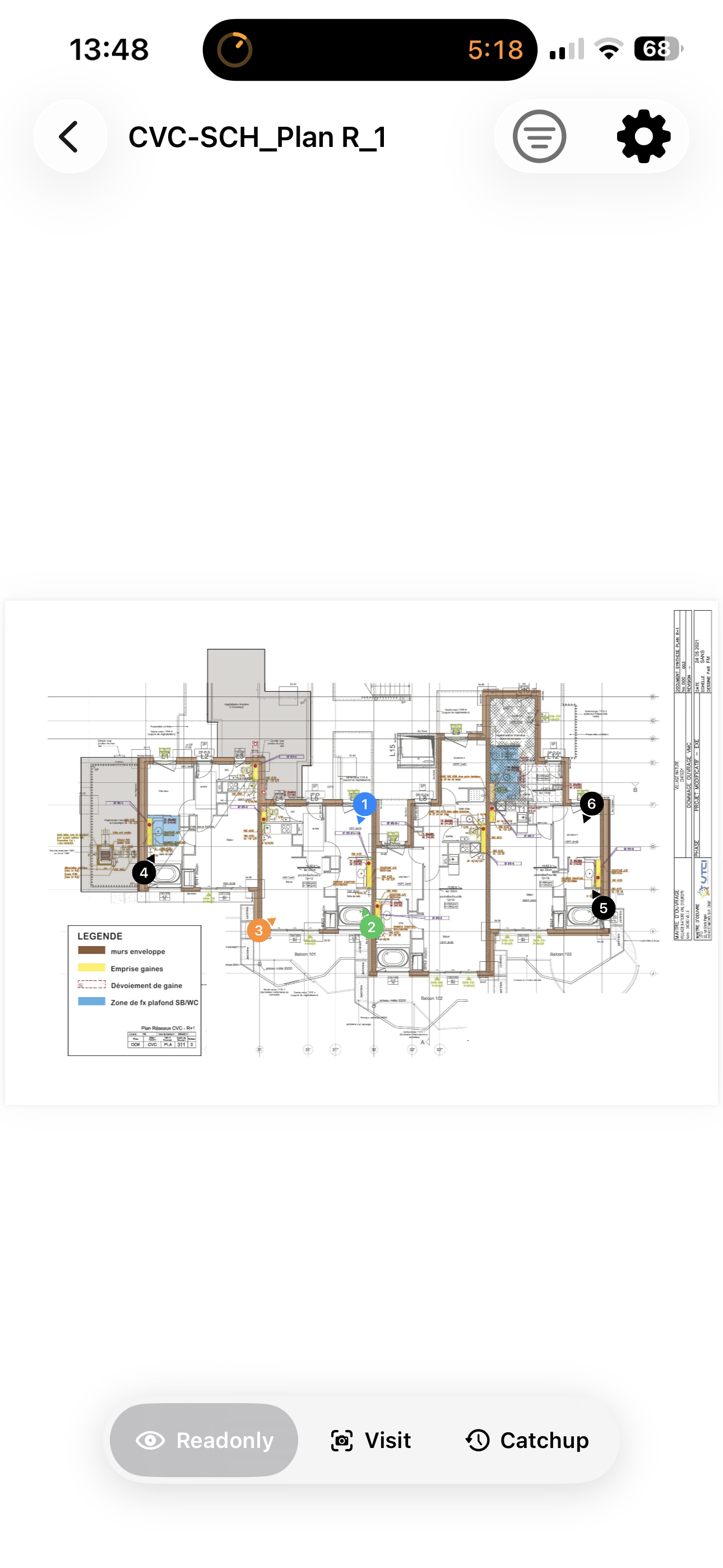
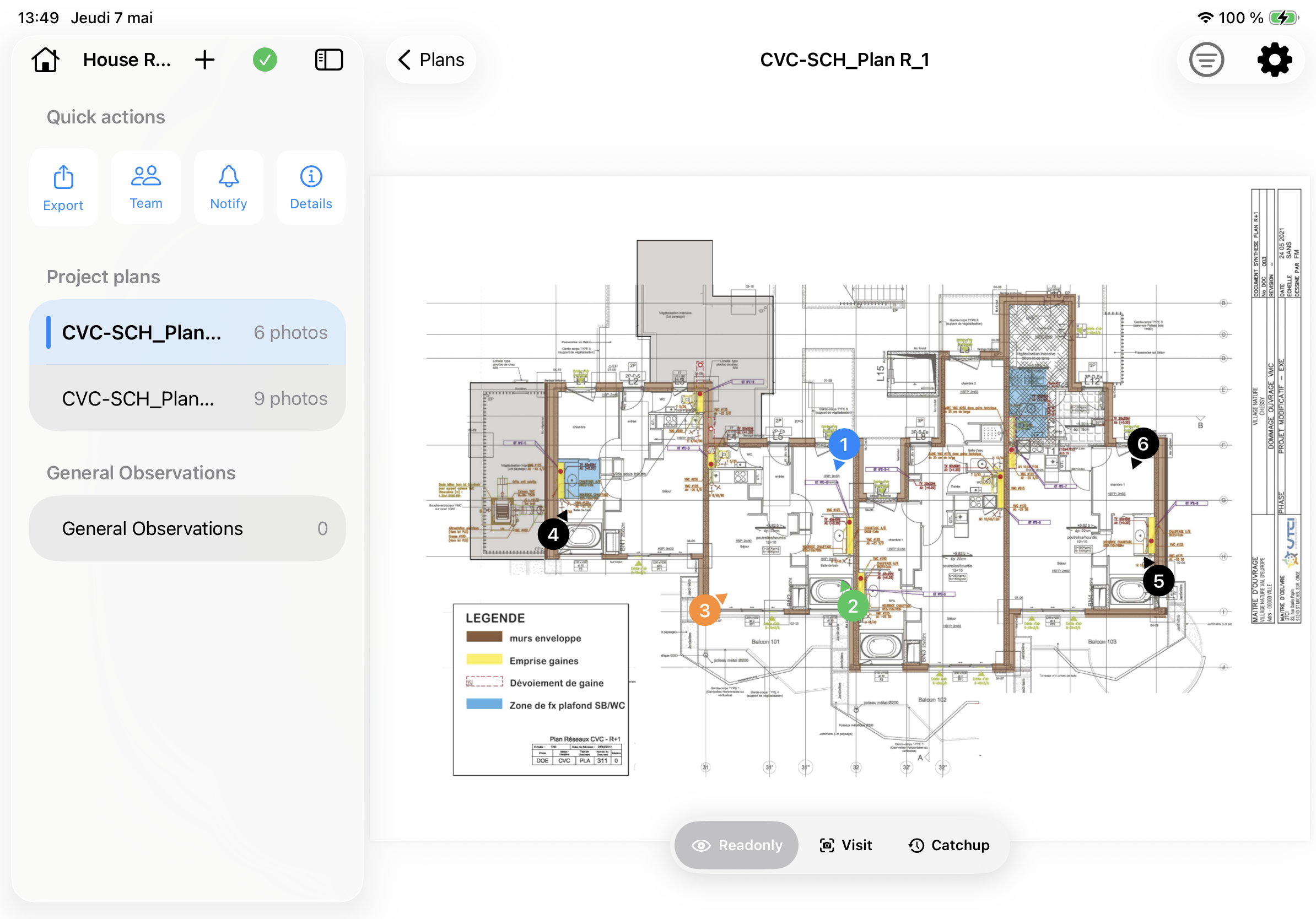
The paper plan. The annotated paper plan during a visit had a single function: act as a spatial reference to number photos. A PDF of that plan opened in a mobile app does the job better. You touch the exact spot on the screen, take the photo immediately, and the photo stays bonded to that position. No numbers to copy back manually, no plan whose back you flip to check a zone, no creases that erase an annotation.
The desktop. The desktop computer only served to assemble the report afterwards. That is the last step, and the one that takes the longest. When capture is already structured on the plan, generating the report takes a few taps on the phone. The desktop is still useful for a bulk send to thirty recipients, for formal electronic signature, or for archiving in a corporate DMS. Not for writing the report.
Four objects, four separate workflows, four risks of loss. One device, one flow, zero re-entry.
The flaws of a report written back at the office
The desktop workflow is not only slower. It has structural flaws that no execution speed can compensate for.
Photos are decoupled from the plan. A typical Word report shows a grid of numbered photos at the end and an annotated plan in appendix with the same numbers. On thirty observations, the consistency holds as long as no one deletes or inserts a line. The first mid-draft addition shifts the numbers, and reviewing the report becomes a hunt for mismatches. A mobile app that pins the photo directly to its position on the plan removes that manual synchronisation entirely.
The work happens twice. You write the note on site, then rewrite it cleanly in Word in the evening. The photo is taken by the phone, then transferred to the computer, resized, captioned. Every piece of information passes through two media. The duplication burns time and introduces errors: a misread note, a mismatched photo, a caption that no longer fits the image.
The report arrives with a D+1 to D+7 lag. A Tuesday morning visit, a Wednesday evening report at best, sometimes by the end of the week. During that window contractors move forward, corrections are launched without visibility, and urgent reminders happen by phone outside the document. The report loses its reference function, it becomes a retrospective record that no one really reads.
Files proliferate. report_v2.docx, report_v2_final.docx, report_v2_final_REAL.docx, plus the copies emailed at different stages. Six months later, the project manager looking for the history of a single point opens five versions before finding the right one. No one knows which one is authoritative.
Real-time collaboration does not exist. If the engineering office spots a point on site, they cannot write into the report in progress. They send a separate email, which will (perhaps) be folded into the next version. On projects where several stakeholders visit in parallel, a single consolidated report is a minor miracle.
None of these flaws is fatal on its own. Stacked together, they turn a potentially structuring deliverable into a document everyone skims, if they open it at all.
What a true end-to-end mobile workflow looks like
A fully mobile site-report workflow runs in four steps, from the parking lot to the client.
1. Off-site preparation. Load the plan PDF into the app the day before (or at the start of the mission, once for the entire project). Let the battery charge overnight. On site, nothing to download, nothing to search for.
2. Capture while walking. Reach the zone, tap the position on the plan, take the photo, dictate the comment to the mic. Around ten seconds per observation. For complex topics (a roof terrace waterproofing defect, a discrepancy between trades on a duct opening), shoot a video while walking: 20 seconds of HD footage replaces ten photos and a sketch. When a sketch is unavoidable, annotate the photo directly with an arrow and a short label.
3. Generation on site. Before leaving the project, generate the report. The app produces a one-page PDF (plan + markers + linked photos) or a standalone HTML with navigation, and you see the exact rendering the client will get. If an observation is missing, fix it in two taps. No back and forth to the office, no surprise during evening review.
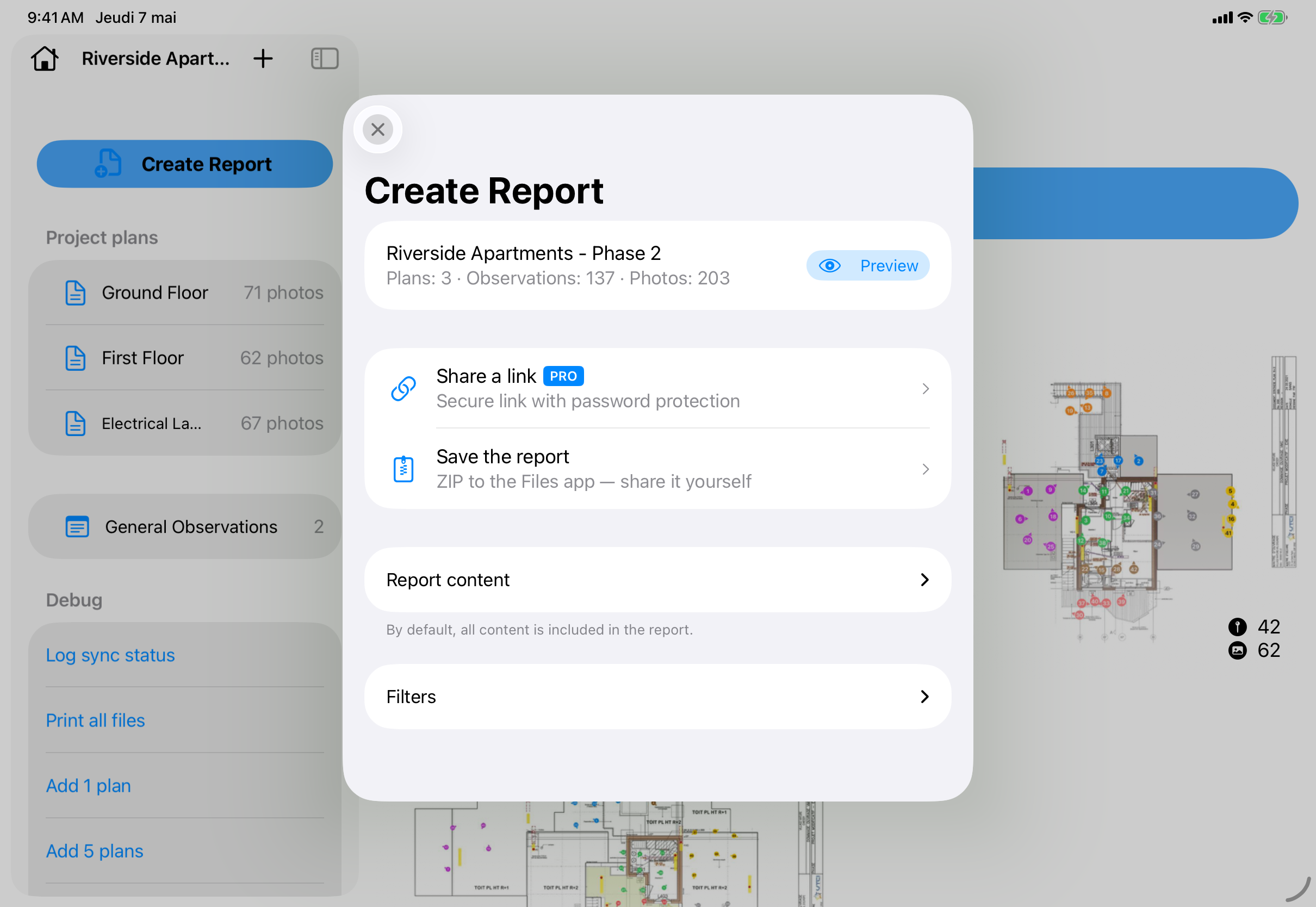
4. Distribution at the foot of the ladder. Share a link (web or email) with the client, the general contractor and the affected trades. Each recipient receives the version that concerns them, filtered if needed. The report sits in their inbox before you have driven back to the office.
This is exactly what PhotoReport does in practice. The app pins every photo to the position you tapped on the plan PDF (1 page, the format that goes everywhere), captures the audio comment attached to the photo, handles HD video and HD photo, generates the PDF or standalone HTML at the foot of the ladder, and shares a password-protected link with a deliverable filtered per recipient. It all works offline: cloud sync resumes the moment you reach signal again in the parking lot. The free plan covers a single project with unlimited photos, plans and observations and a quota of 3 exports, enough to run a full site cycle before moving to Pro.
The time savings measured on real projects
Feedback from users on projects of 20 to 40 observations per visit converges on similar orders of magnitude. The table below compares the total cost of a report (capture + writing + distribution) on both workflows.
| Step | Paper/Word | Smartphone-native |
|---|---|---|
| Plan preparation | Print A3 plan, prepare pen and pencil (15 min) | Load PDF into the app the day before (2 min) |
| On-site capture (30 observations) | Photo + paper note (45 min) | Photo + audio + position on plan (25 min) |
| Photo transfer to computer | Cable or email, sort, rename (20 min) | None, handled inside the app |
| Word writing or generation | Full re-entry, insert photos, resize, captions, annotated plan in appendix (90 to 120 min) | Automatic PDF/HTML generation (1 min) |
| Distribution | Email with heavy attachment, copies to trades (15 min) | Shared link with filtered access (3 min) |
| Total per report | 3 h to 3 h 30 | 30 to 35 min |
These figures come from conversations with architects and site managers who made the switch over the last twelve months. They are averages, not records: reality varies with observation density, plan quality and the time spent on formatting. The structural conclusion holds: a factor of 5 to 6 on total time. Across ten monthly visits, that is roughly 25 hours recovered, half a working week.
The gain is not only quantitative. The report ships the day of the visit, not two days later. Trades receive the information while it is still hot, while it is still actionable. And the project manager who consults a specific point six months later retrieves the photo, audio, position on plan and observation date in three taps, without reopening five Word files.
Common objections and how to answer them
The switch to mobile always raises the same objections. None are baseless, all have a clear answer today.
“The screen is too small to annotate.” True on a first-generation iPhone SE, false from 2020 onwards. On a 6-inch screen, the visible portion of the plan lets you tap a point with centimetre precision. For very dense projects, some pros add an iPad mini as a companion. Most do fine on the iPhone alone.
“The battery does not last a day.” A heavy capture day consumes 30 to 50 % of battery on a recent iPhone. A 10 000 mAh power bank around twenty euros covers any surprise. For long missions (full surveys, two-day expert assessments), keep a cable in the car: in-trip charging handles it.
“The client wants Word, not a web link.” Generate the report as a PDF and attach it to the usual email. In practice, Word reports are almost never reviewed in edit mode by the client: they are printed or read in PDF. A clean, structured PDF generated by the app reads better than a laborious Word file. When a client genuinely requires editable Word (rare, tied to internal agency processes), the PDF can be opened by Word and imported with little fuss.
“There is no signal on the site.” A proper mobile app for construction works offline by design. You capture, annotate, generate the report, all without signal. Cloud sync resumes when you reach a network (parking lot, car, nearby café). What does not work offline are pure web solutions that require a permanent connection. Check this point before choosing any tool.
“Will the photos be archived for ten years in case of litigation?” Yes, provided you pick a solution that exports a self-contained deliverable. The generated PDF embeds the photos in HD, readable without depending on the vendor’s cloud. As a complement, most tools offer a ZIP export of all original photos with EXIF metadata (date, geolocation). For long-term archive requirements, store both artefacts in your corporate DMS: you become independent of the vendor’s longevity.
“My team is not comfortable with these tools.” A well-designed mobile workflow is picked up in a single visit. Modern site-report apps mirror consumer patterns (camera, voice memo, link sharing) that everyone already knows. The learning curve is below that of a new Word version.
The equipment checklist before your first visit
Before you leave the office for your first mobile visit, check the six points below. A bad visit almost always traces back to a missed item on the list.
- Rugged case. A construction site is not an office. Dust, knocks, splashes: an unprotected phone does not survive more than a few months. A solid case at thirty or forty euros radically extends the life of the device.
- External battery. 10 000 mAh covers two full recharges. Slip it into the bag, plug the cable in the trunk during drives.
- Telescopic pole or compact tripod. For false ceilings, technical ducts above head height, inaccessible attics. A twenty-five euro pole saves you an improvised scaffold.
- App installed and account signed in. Verify the day before that the app is up to date and that cloud sync is running. Do not discover it in a basement without signal.
- Plans pre-loaded as PDFs. Download the floor or zone plan into the app, verify it opens offline. Ideally one file per level or per building.
- Report template configured. Logo, header, recurring fields (project, client, trades) should be filled in for the project. You do not want to type the site address in the cold at 8 am.
With those six points handled, you are ready for a three-hour visit without interruption.
What to deliver to the client: PDF, HTML or shared link
The deliverable format is chosen based on the recipient and the project context. All three formats are produced effortlessly by modern mobile report apps; the right pick depends only on usage.
The standalone PDF. Universal format, openable anywhere, archivable. It remains the standard for contractual reports, contract pieces, and shipping to a client who prints. Upside: no dead-link risk six months later. Downside: not updatable, no filtering, and the file gets heavy when you embed HD photos (typically 5 to 30 MB depending on density).
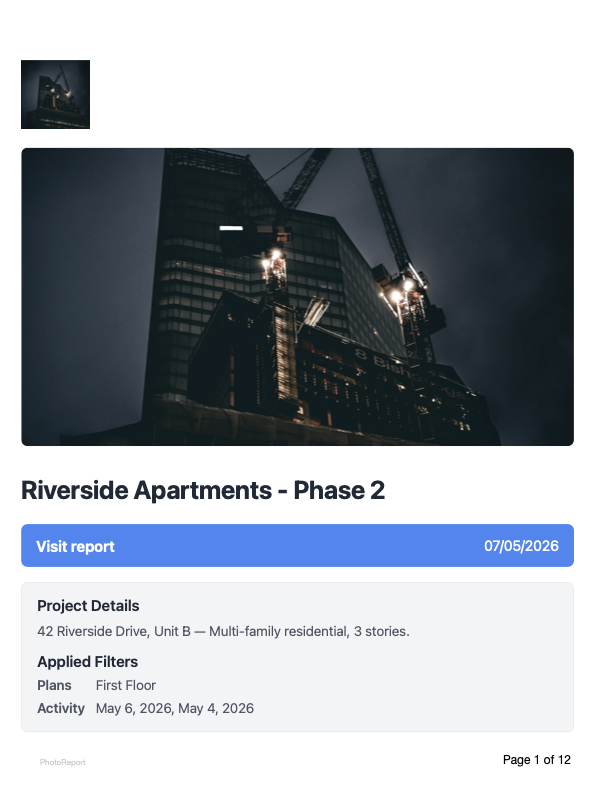
The standalone HTML. A .html file with embedded images, opens in any browser without an internet connection. Lighter to handle than a dense PDF, navigable (tap a thumbnail, return to the plan), recommended for reports of 20 observations or more. Upside: interactivity, no infinite zoom on PDFs that lag. Downside: less familiar, some clients will still ask for the PDF on top.
The online shared link. The recipient opens a URL, always sees the latest version, can comment directly on the report. This is the most efficient format for live communication during the works, and the one that supports per-recipient filtering (the electrician only sees observations on their trade). Downside: requires a vendor still in business X years from now. For long-term archive, always pair with a frozen PDF.
The right reflex: generate a shared link during the project (live communication, easy updates), then freeze a standalone PDF at every contractual milestone (partial handover, pre-acceptance inspection, acceptance). You get the fluidity of real time and the safety of a frozen document.
FAQ
Do I need an iPhone, or does Android work too?
Both ecosystems now host capable site-report apps. PhotoReport is iOS and iPadOS native, optimised for the Apple ecosystem (HEIC, AirDrop, iCloud integration), a deliberate choice tied to the reliability and consistency of the iPhone camera sensors. If your team mixes iPhone and Android, pick a tool that offers a web-viewable deliverable for recipients, independent of the OS that captured the data.
How does client signature work when everything is digital?
The generated report can be signed electronically in several ways: a PDF signature with any office tool (Preview, Adobe), routing through an electronic signature service (DocuSign, Adobe Sign) for contractual milestones, or a handwritten signature on the printed PDF then scanned. For weekly visit reports, common practice is to distribute without signature with a contract clause stating “report becomes binding without challenge after 8 days”, a clause to write into the contract.
Are the photos admissible in litigation or expert assessment?
Yes. Photos taken on a modern smartphone embed EXIF metadata (date, geolocation, device model) and are recognised by courts. For stronger evidentiary value, keep the ZIP export of the original photos alongside the report PDF: the expert can verify the metadata on the native files. The photo alone remains one piece of evidence among others, which is no different from a dedicated camera.
How long does it take to roll out a mobile workflow across a team?
Plan a half-day of hands-on training per person, followed by two or three accompanied visits. After five visits the reflex is in place and the average time per report is divided by five. Resistance rarely comes from the tool, more often from habit. Appointing a referent per office or business unit who answers questions during the first weeks speeds things up significantly.
Does a smartphone-generated site report carry the same legal weight as a printed, signed report?
Yes, provided the format is durable (PDF/A for long-term archive), metadata is preserved, and distribution is traceable (email, timestamped link, read receipt). Under the EU eIDAS Regulation, an electronic document carries the same probative value as paper as long as its integrity and signatory identification are guaranteed. A PDF generated by a mobile app, archived in your DMS, meets those conditions.
Try PhotoReport on your next project
PhotoReport is an iOS-native app built to put everything above in your pocket: photos pinned on a one-page plan PDF, audio comments, HD videos, on-site report generation, sharing with per-recipient filtering. The free plan covers a single project with unlimited content and three exports, enough to measure the time saved over a full site cycle before committing.