Your company logo on every construction report (PhotoReport 2026.6)
The report you send carries your work. Now it carries your name, too.
When you generate a construction report, you produce the document a client, an insurer, or a subcontractor is going to read. The content is serious: timestamped photos, observations, annotated plans. But the first thing the recipient sees is the cover. A generic PDF looks like a technical export. The same document with your logo, your company name, and your address looks like an official record issued by an identified company. That is exactly what PhotoReport 2026.6 lets you do.
This update adds the company profile, your branding applied automatically to every report, and pairs it with two foundational improvements: large reports that no longer falter, and secure account management right inside the app.
Your company identity on every report
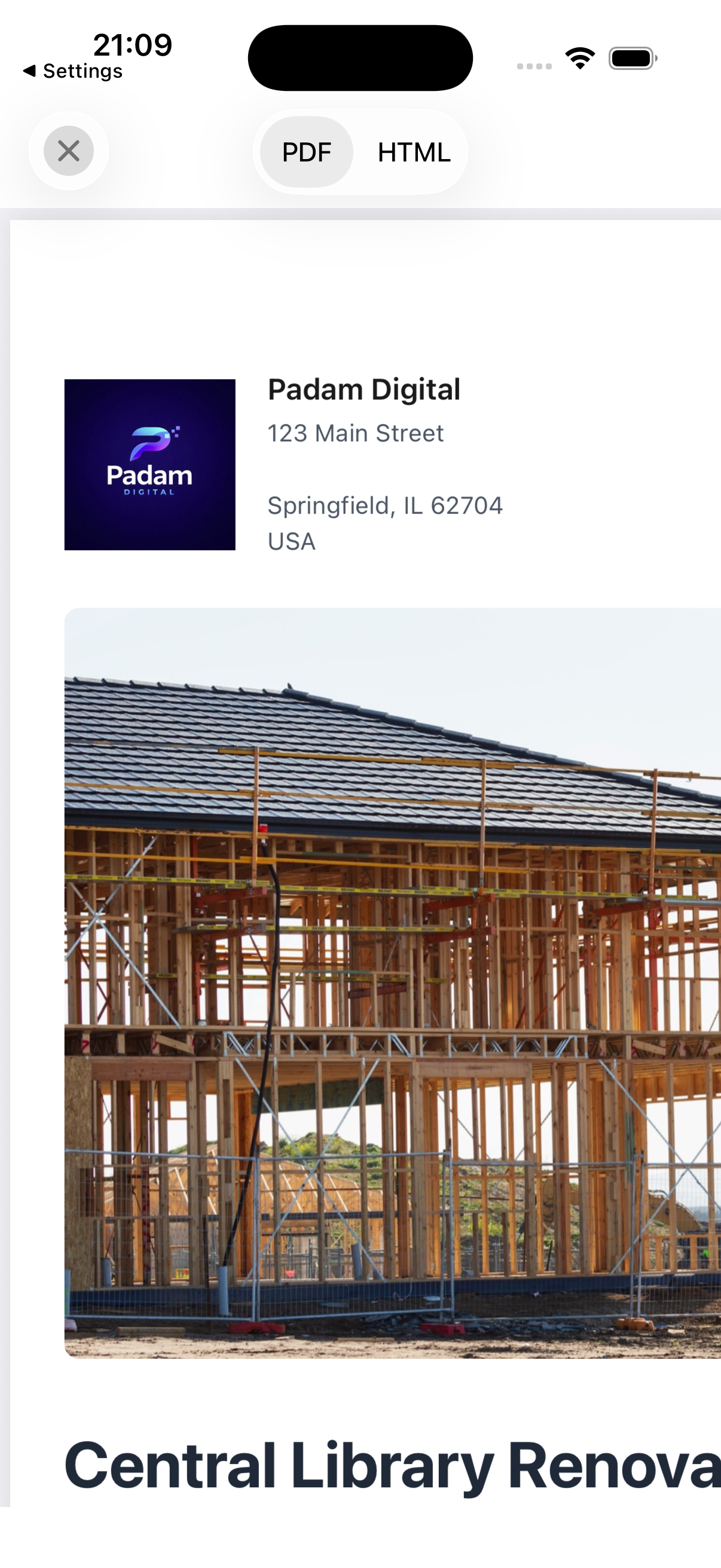
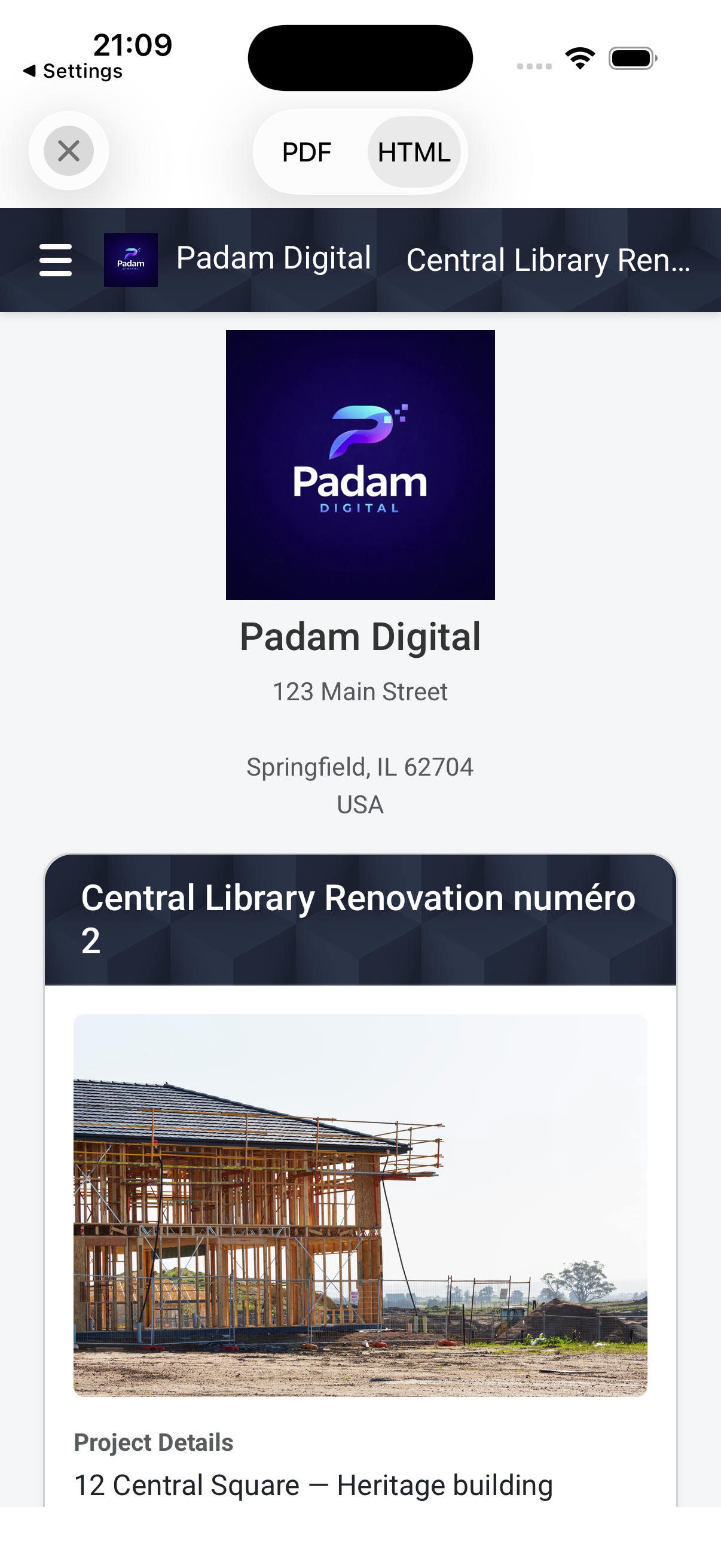
The company profile brings together three elements: your company logo, its name, and its address. Once they are filled in, they apply to all your reports, with nothing to redo at each export. In practice, your branding appears on the cover page of PDF reports and at the top of HTML reports, exactly where the reader sees it first.
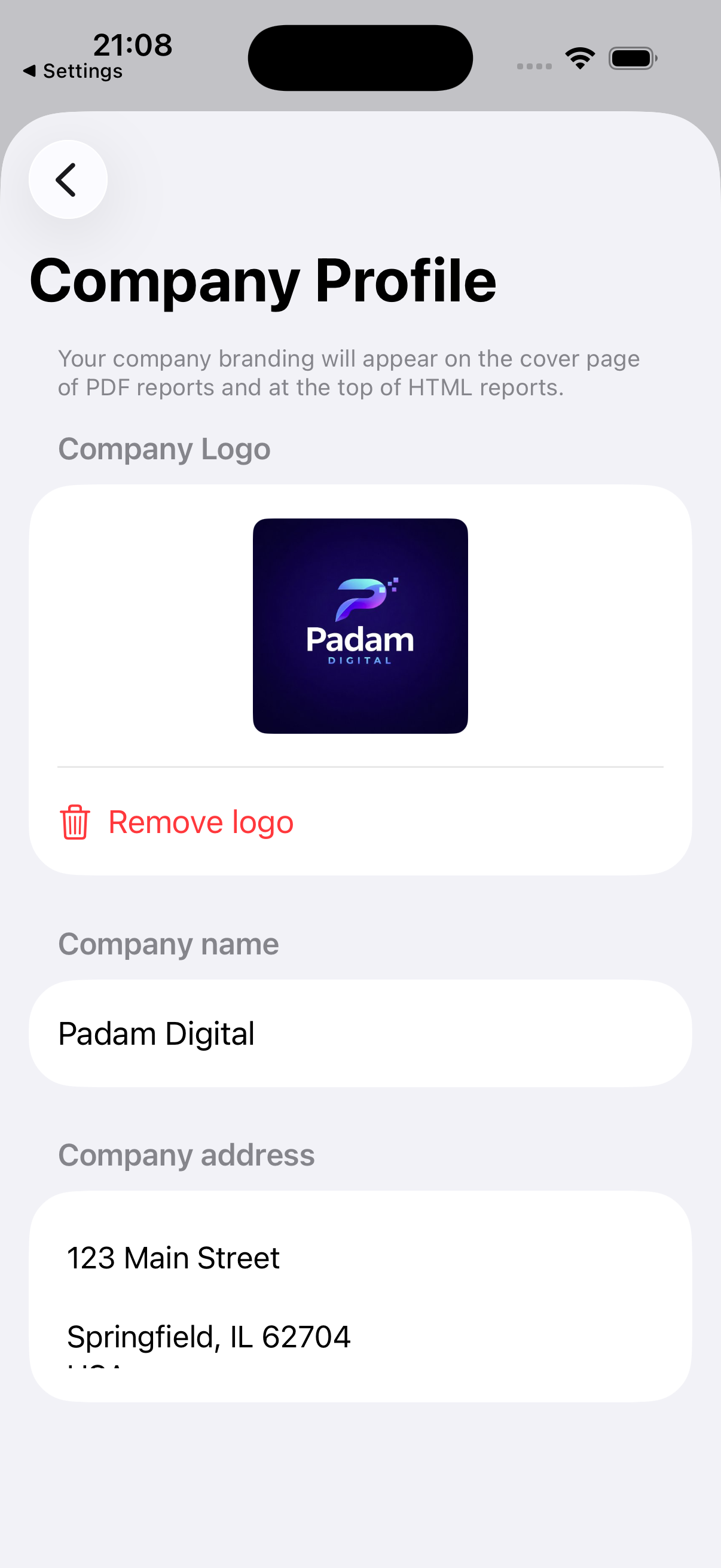
The key point is that this profile is tied to your account, not to a device. You set it up on your iPhone, it follows on your iPad, and it is also applied on the web. So there is only one place to keep up to date: change your logo once, and all your future reports, on every device, go out with the right identity.
Why a branded report changes the game
On a project, the report is not just a technical document. It is also a piece of the client relationship and a document that commits you. Giving it your identity produces three concrete effects.
It builds trust. A report that arrives with a company logo and contact details reads like an official record, traceable to an identified sender. That is reassuring for an individual client and for an insurer alike, and it matters the day the document has to be added to a case file.
It strengthens your brand. Every report you send is a touchpoint. When your logo accompanies careful work, you are not just delivering a finding, you are leaving a mark of your professionalism in your client’s inbox and in the inbox of everyone they forward the document to.
It sets you apart. Plenty of reports still circulate as anonymous PDFs or Word pages with no header. A branded report stands out immediately, and signals an organization that has its documentation under control.
How to turn it on in two minutes
Setup takes a few taps, once and for all:
- Open Settings, then the Company Profile section.
- Import the Company Logo, from your photo library or by taking a picture of it.
- Fill in the Company name and Company address.
That’s it. Your next reports, PDF and HTML alike, go out with your identity, with no extra step at export time. The company profile is part of the Pro and Teams plans; the free plan lets you explore the app, and the 7-day trial on the annual subscription lets you use branding without commitment.
Reliable reports, whatever their size
An end-of-project report can contain hundreds of photos. At those volumes, two issues used to appear: an HTML report that stayed stuck on a blank screen while everything loaded, and a PDF export that, in rare cases, could silently drop photos. Version 2026.6 fixes both at the root.
The PDF report is now generated in chunks, then assembled, so that no photo is left out, even on very large files. On the HTML side, photos load on demand and the page appears immediately instead of waiting for the last image to be ready. Small reports keep a fast, single-pass path. The result: faster exports, and above all reliable ones from the first photo to the last.
Manage your account securely
2026.6 brings account management back into the app. You can now change your email address or your password directly from PhotoReport, with a re-authentication step to protect the operation. Sign-up goes through email verification, and account deletion is handled cleanly and securely.
All of this is additive: no existing session is interrupted, and if your account is signed out from another device, the app lets you know without any data loss, your email already pre-filled so you can sign back in.
Performance and polish
Beyond these three areas, the release ships a long list of fixes and optimizations: smoother sync between devices, annotation markers perfectly aligned in exports, plan filters that no longer reset, and plenty of stability work behind the scenes. Nothing spectacular taken on its own, but together they make the app more predictable day to day.
Coming soon: snag and punch-list tracking
One last word about what’s next. We are preparing a dedicated mode for pre-handover inspections, to manage the items on a punch list: the status of each snag (to do, in progress, resolved), assignment to a worker, and a handover report structured by trade. This mode is rolling out gradually; it is not yet open to everyone, and we’ll cover it in detail when it is available.
FAQ
How do I add my company logo to a construction report?
In PhotoReport, open Settings then Company Profile, import your logo, and fill in the company name and address. Once saved, your logo automatically appears on the cover page of all your PDF reports and at the top of your HTML reports, with nothing to redo at each export.
Where exactly does the branding appear in the report?
The company logo, name, and address show on the cover page of PDF reports and in the header, at the top of HTML reports. It’s the first thing the recipient sees when they open the document.
Is the company profile synced across my devices?
Yes. The company profile is tied to your account, not to a device. Set up on iPhone, it follows on iPad and is also applied on the web. There is only one place to keep up to date, and all your future reports go out with the right identity.
Is branding available in the free plan?
The company profile is part of the Pro and Teams plans. The free plan lets you try the app (one project, three exports), and the annual subscription includes a 7-day trial, enough to generate a branded report before you commit.
Are my big reports with lots of photos reliable?
Yes. Version 2026.6 generates PDF reports in assembled chunks, so no photo is lost even on very large files, and loads HTML report photos on demand for an immediate display. Large exports are both faster and more reliable.
Put your brand on your next report
PhotoReport is a native iOS app that fits the essentials in your pocket: photos placed on a single-page PDF plan, timestamped and reusable from one visit to the next, audio comments, HD videos, and PDF or HTML report generation right on site. With 2026.6, every report can now carry your company logo, name, and address, synced across your devices and the web. The free plan (one project, three exports) lets you measure the gain; the company profile is included in Pro (19 €/month or 190 €/year) and Teams (39 €/user/month or 390 €/user/year).
Related articles
- Construction site inspection report template, to structure the content your branding then dresses up.
- Site visit report template, the standard format for routine follow-ups.
- Construction progress report: template and method, to measure and present the completion rate, photos to back it up.