PhotoReport 2026.4: Cloud Collaboration, the Teams Plan, and Real-Time Sync
PhotoReport 2026.4 Is Here
PhotoReport started life as a solo tool: one person, one iPad, one site visit. Version 2026.4, available today on the App Store, changes that fundamentally. With this release, PhotoReport becomes a team tool. Annotations, photos, plans, drawings, and the new audio comments all sync in real time across every device that opens the same project, on whatever combination of iPad and iPhone your team uses. We are also introducing a new Teams subscription plan built around this cloud-collaboration model.
This is the largest single release we have ever shipped. Here is what is new in PhotoReport 2026.4.
Cloud Collaboration and the Teams Plan
Until now, PhotoReport stored everything locally. Your projects lived on the device that created them, and sharing meant exporting a report. That model worked for solo inspectors and architects working alone. It did not work for teams.
Cloud collaboration in 2026.4 changes the model from the ground up:
- Sign in to your account and your projects sync to the cloud automatically.
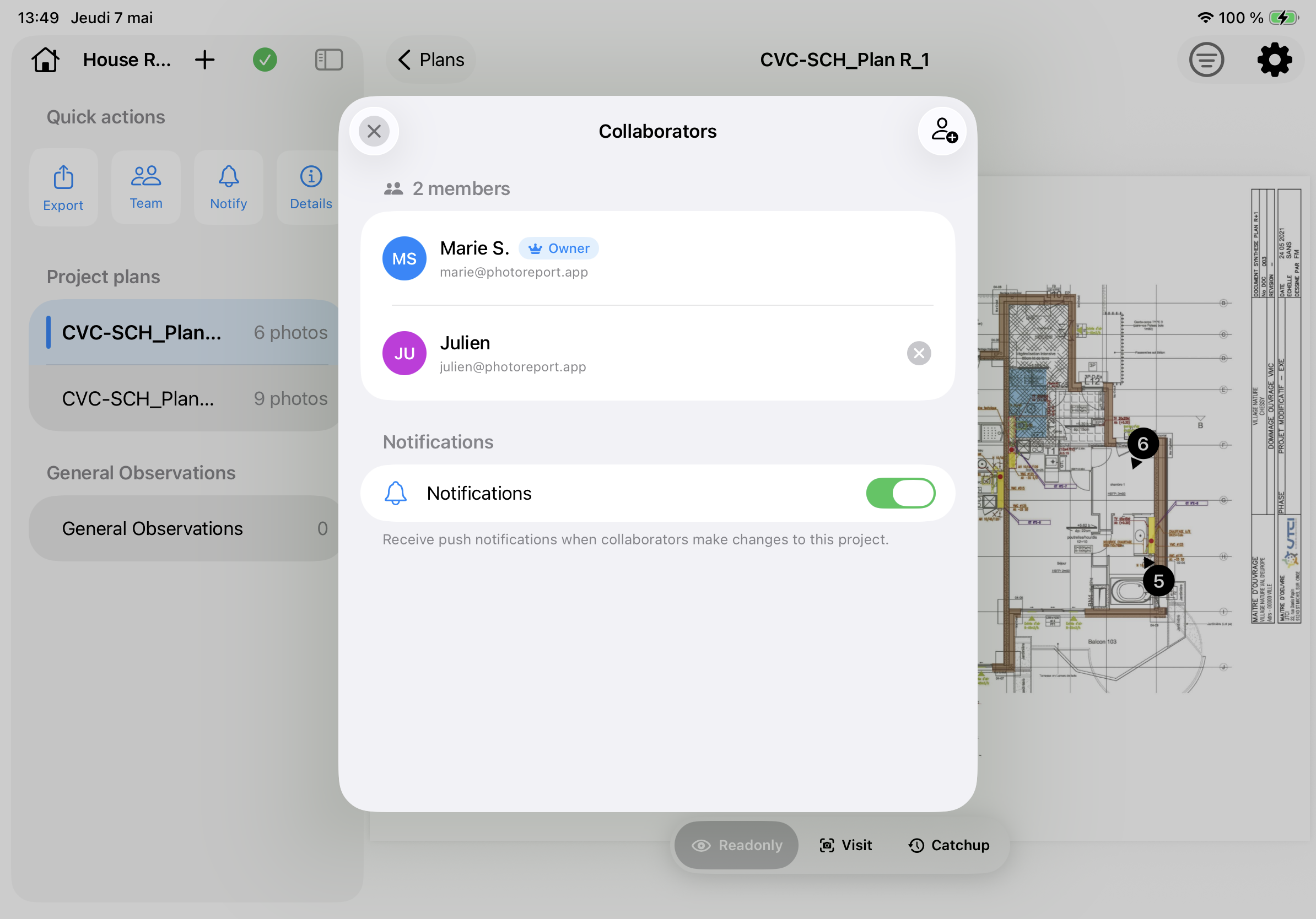
- Invite teammates to a project from the project settings, and they get access on every device they sign in on.
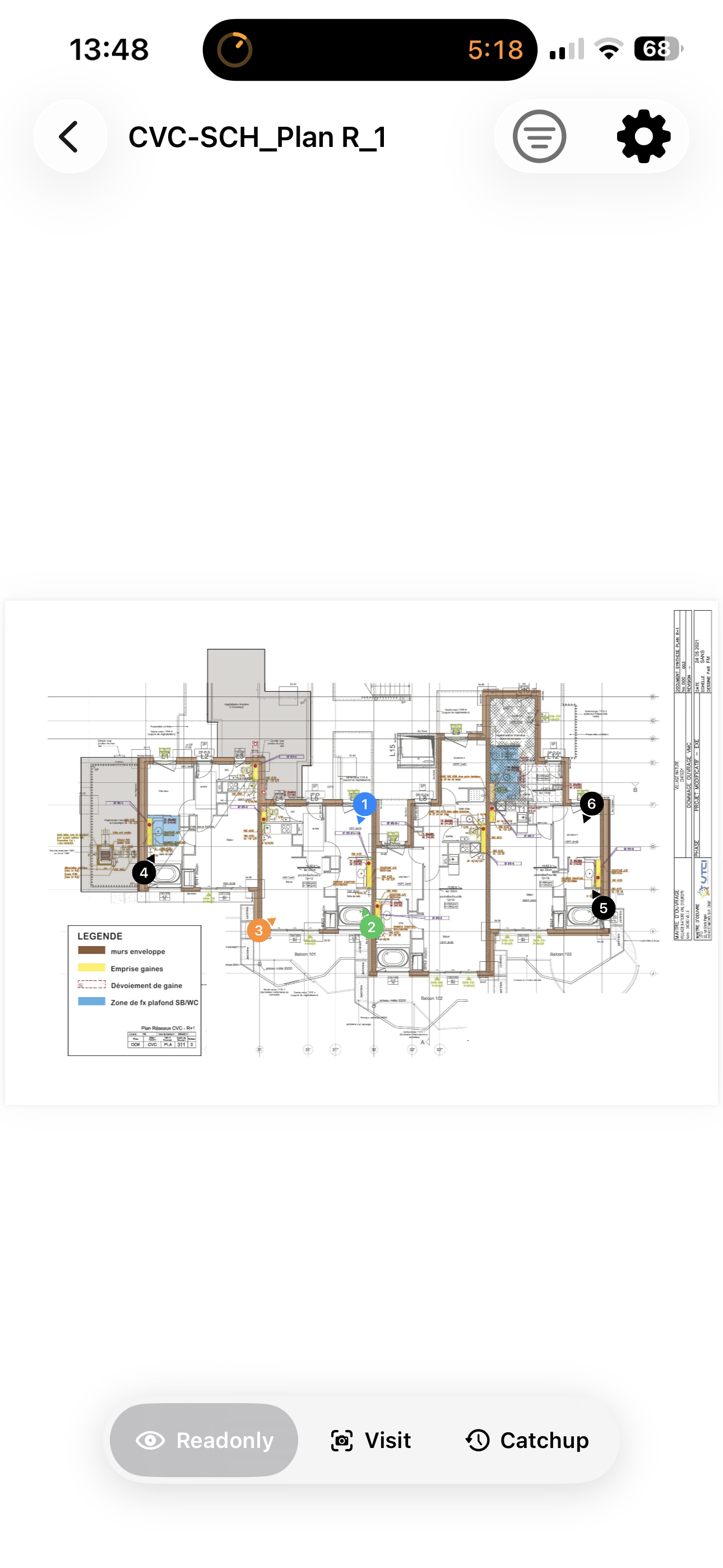
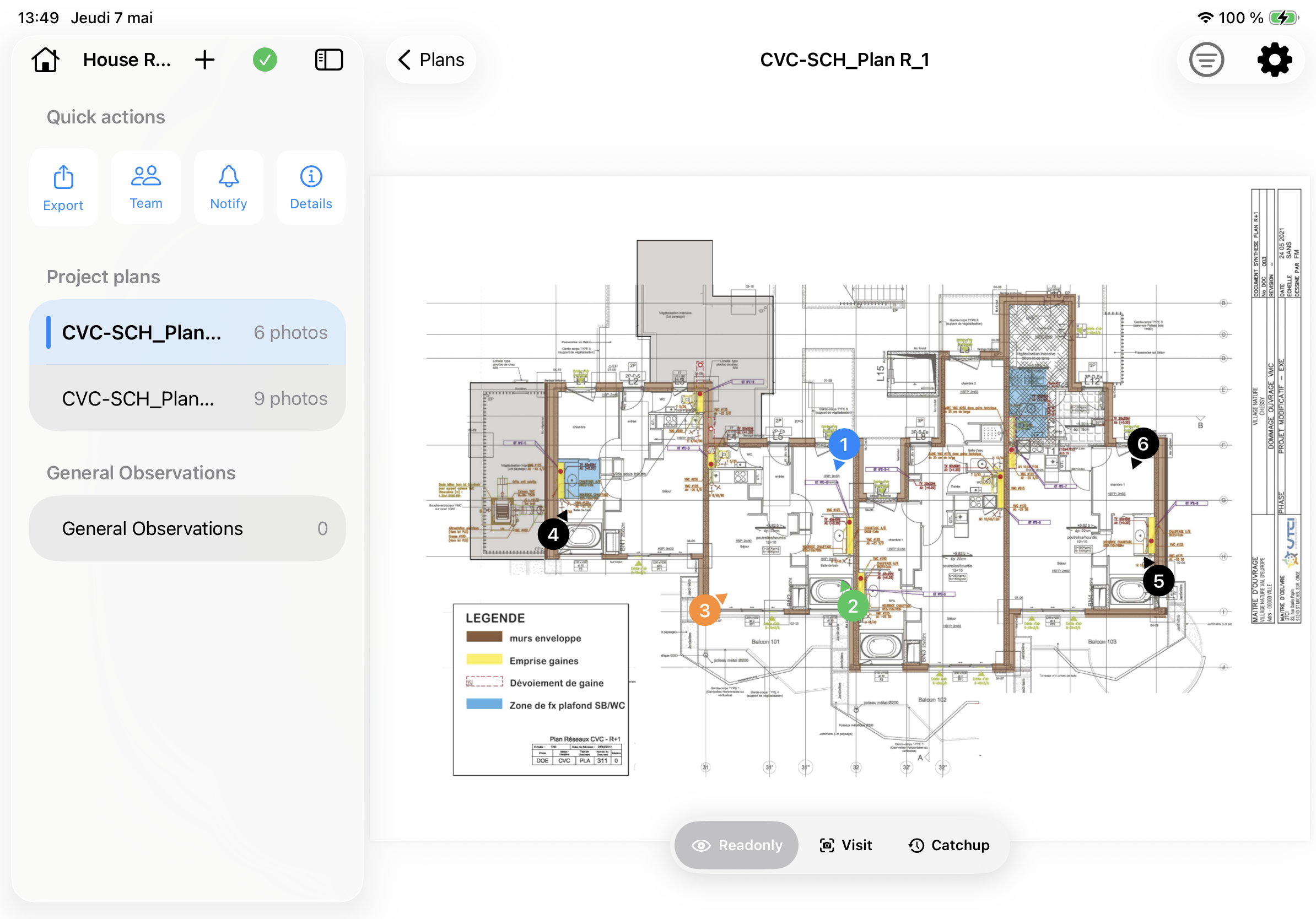
- Every change syncs in real time: your colleague on the second floor can drop an annotation on the ground-floor plan, and you will see it appear on your iPad before they have walked back down the stairs.
- Member tracking and authorship: every annotation now shows who created it, and you can filter the project to see only one teammate’s contributions.
Cloud collaboration is included in the new Teams plan, our subscription tier built specifically for teams of two or more. Teams gives every member real-time sync, member tracking, and a generous shared cloud storage allowance for photos, videos, and audio. The Pro plan continues to exist for solo professionals who want unlimited projects and exports without the team layer. You can compare plans on our pricing page.
For solo users on the Free or Pro plans, cloud collaboration also unlocks something quieter but useful: multi-device sync for your own projects. Sign in on your iPhone and your iPad, and the same project is on both, with edits syncing automatically. No more “wait, which iPad has the latest version of the Riverside report?”.
Real-Time Sync, Across Everything
Real-time sync is one of those phrases that sounds simple and is operationally complex. Here is what actually syncs in 2026.4:
- Annotations: position on the plan, marker number, color, type (defect, observation, and so on), text notes, creator, timestamp.
- Photos: at full resolution. The original file is uploaded once and downloaded by every collaborator on demand. Thumbnails are compressed automatically.
- Videos: the same model as photos, no extra steps.
- Audio comments (new in 2026.4, more on this below): full audio file, downloadable on demand.
- PencilKit drawings: hand-sketched annotations on top of photos. Drawings sync as native PencilKit data, not flattened images, so they remain editable on every device.
- Plans: the source PDF or JPEG, with the orientation, scale, and order you set on the project that owns the plan.
- Project metadata: name, description, cover photo, last visit date.
Sync is bidirectional and conflict-tolerant. If two collaborators edit the same project at the same time, both edits are merged automatically. If you go offline (no signal in a basement, in a tunnel, on a flight), PhotoReport keeps working locally; your changes upload as soon as you reconnect.
Behind the scenes, the sync engine is built on Firebase (Auth, Firestore, and Storage), with batched writes for efficiency, listener capping to control battery and bandwidth, and an integrity checker that detects and repairs interrupted downloads. You will not see any of that, which is the point.
Audio Comments
When you are on a site visit, the fastest way to capture a thought is to say it. Typing on an iPhone in the rain, in a noisy stairwell, or with cold gloves on, is slow and error-prone. Voice is faster.
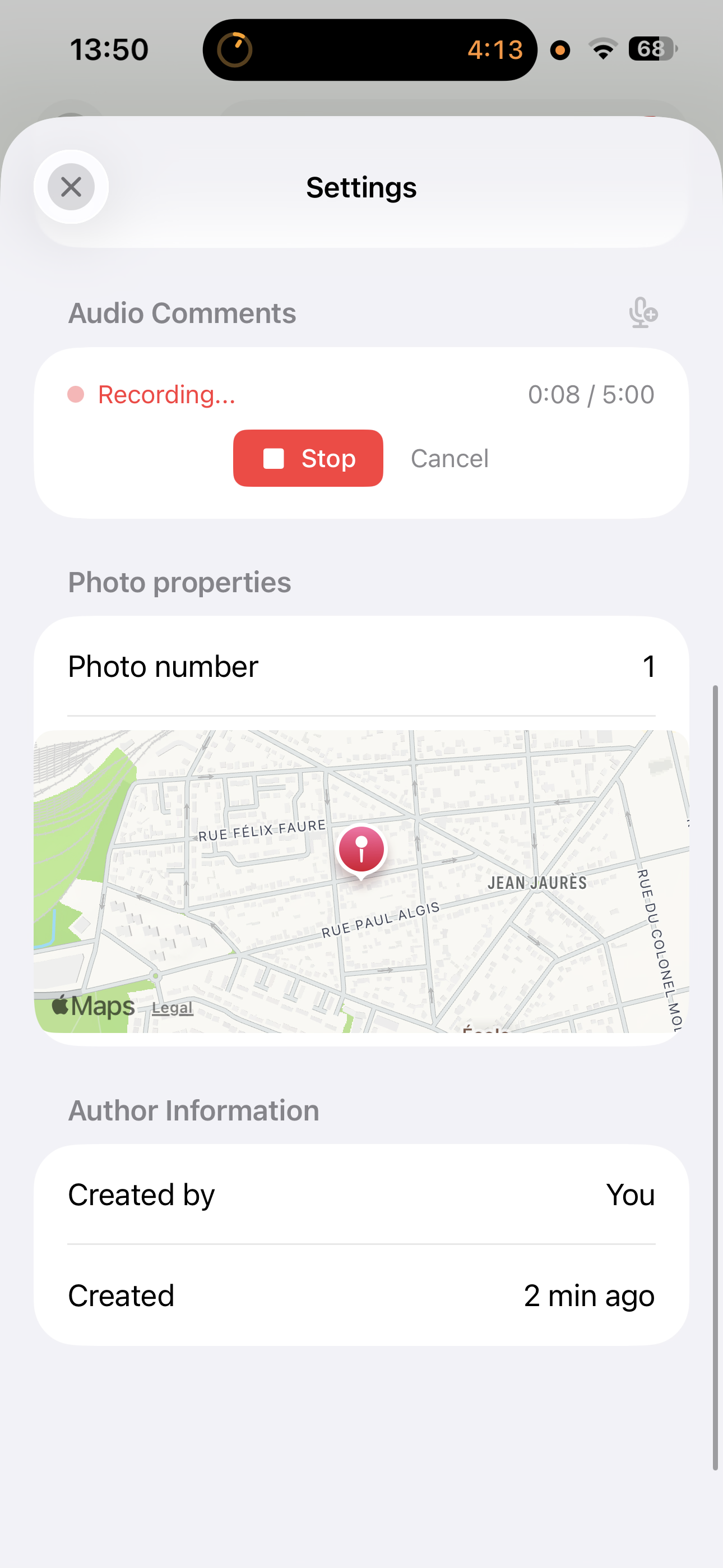
PhotoReport 2026.4 introduces audio comments as a first-class media type, alongside photos and videos. From any annotation, you can record up to five minutes of audio, played back inside the app with a clean waveform UI. Audio comments sync to your collaborators in real time, just like photos and videos.
Use cases we already see from beta users:
- An inspector dictating a defect description while photographing it, instead of stopping to type.
- A project manager recording a verbal walkthrough of a floor for a colleague who could not be on site.
- A specialist explaining the context of a defect to the trade contractor who will repair it.
Audio comments do not yet appear inside PDF or HTML exports in this release. (That landed shortly after, in 2026.5.) For now in 2026.4, they are visible and playable to anyone who opens the project inside the iOS app.
If you want to dig deeper, our audio comments feature page explains why our heaviest field users now record more audio than they type text.
In-App Notification Center, with Per-Project Mute
Real-time sync raises a new question: how do you stay aware of what your teammates are doing, without being constantly interrupted?
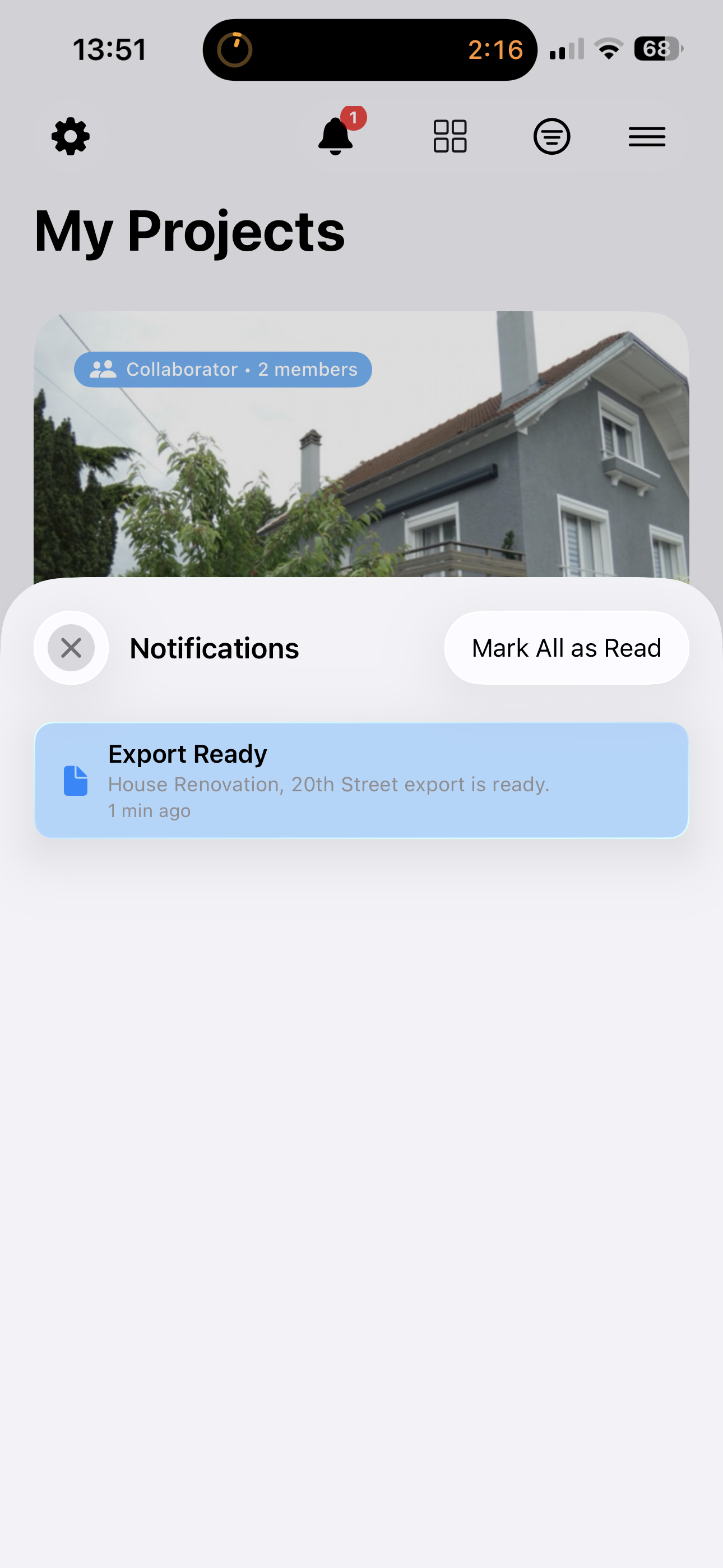
2026.4 introduces an in-app notification center: a persistent feed of every collaboration event on your projects. New annotations, new photos, new audio comments, plan updates, members joining or leaving, all show up in one place, with a badge count on the home screen so you know what is unread without opening the app.
Push notifications via FCM mirror the same events to your iPhone and iPad lock screen, so you do not have to keep PhotoReport open to know when a teammate ships a change.
The critical piece for sanity: a per-project mute toggle in the project sidebar. Most professionals work on one or two active projects at a time, but have a dozen older or shared-but-quiet projects on their device. Per-project mute lets you stay loud on what matters and silent on the rest. Mute preferences sync to your account, so they stick across devices.
Faster on Site: Rapid Capture and the New Filter Bar
Two workflow improvements that you will feel within minutes of opening the app.
Rapid capture mode
Adding photos to an existing annotation used to mean: tap “Add photo”, capture, wait for the preview screen, tap Done, repeat. On a visit where you are documenting a defect from six angles, that preview screen turns into a real time-sink.
In 2026.4, rapid capture skips the preview entirely when you are adding photos to an existing annotation. You shoot, the photo is saved with a quick flash and a small toast, and the camera stays open, ready for the next shot. A persistent “Done (count)” button at the bottom lets you exit when you are finished. For visits with dozens of photos per annotation, this saves real minutes.
Multi-criteria annotation filter bar
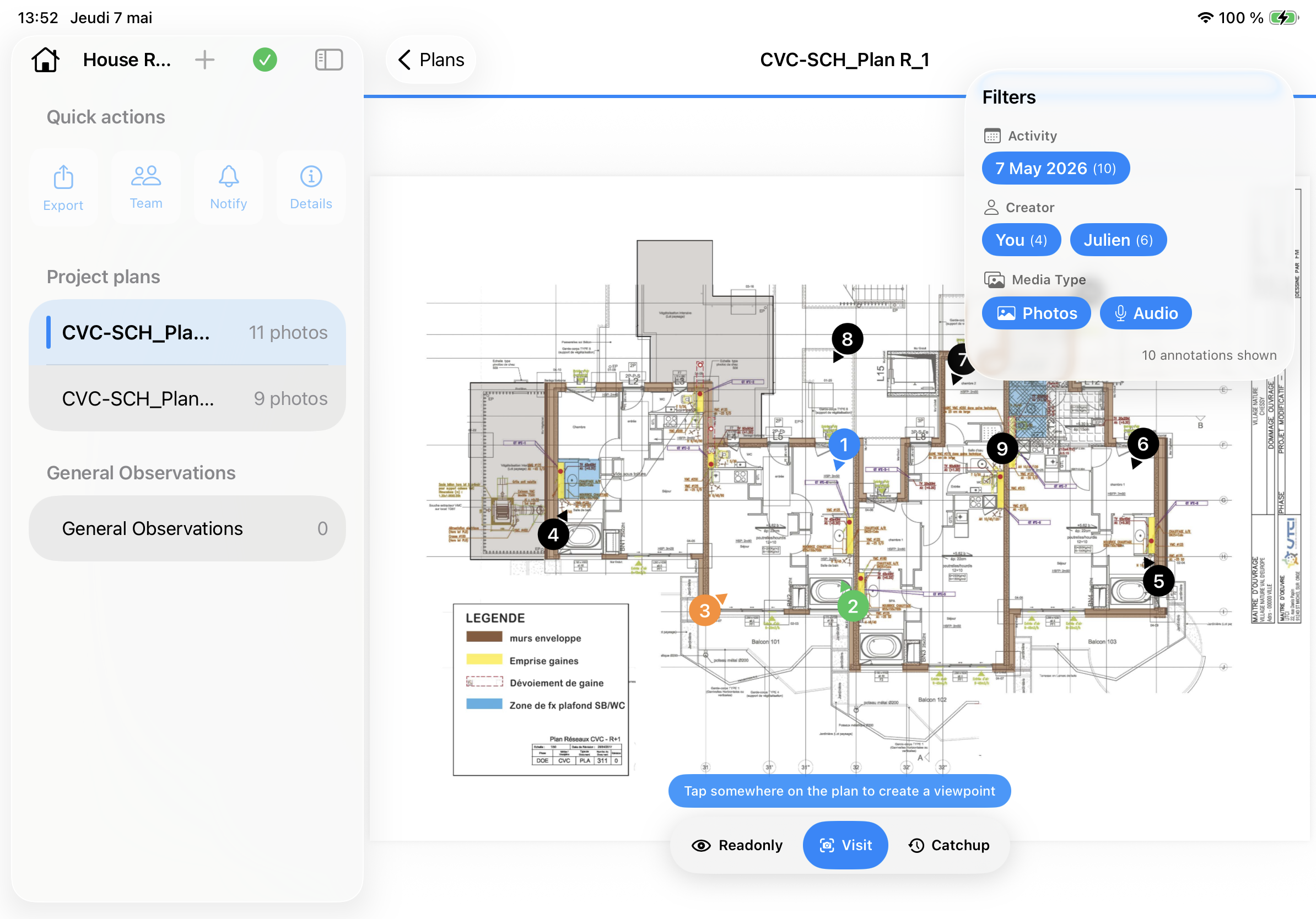
The annotation filter used to be a single-select member dropdown. In 2026.4, it is a multi-criteria filter bar that lets you combine filters: by member, by status, by media type, by date. Filters compose, so “all defects raised by Marie last Thursday with a photo attached” is one tap per criterion, not a search through a list.
This is also the foundation that 2026.5 builds on for the new in-report filters: the same logic that narrows what you see in the app now narrows what goes into the report you generate.
Sign-In Is Friendlier
Account creation and sign-in got a thorough pass in 2026.4.
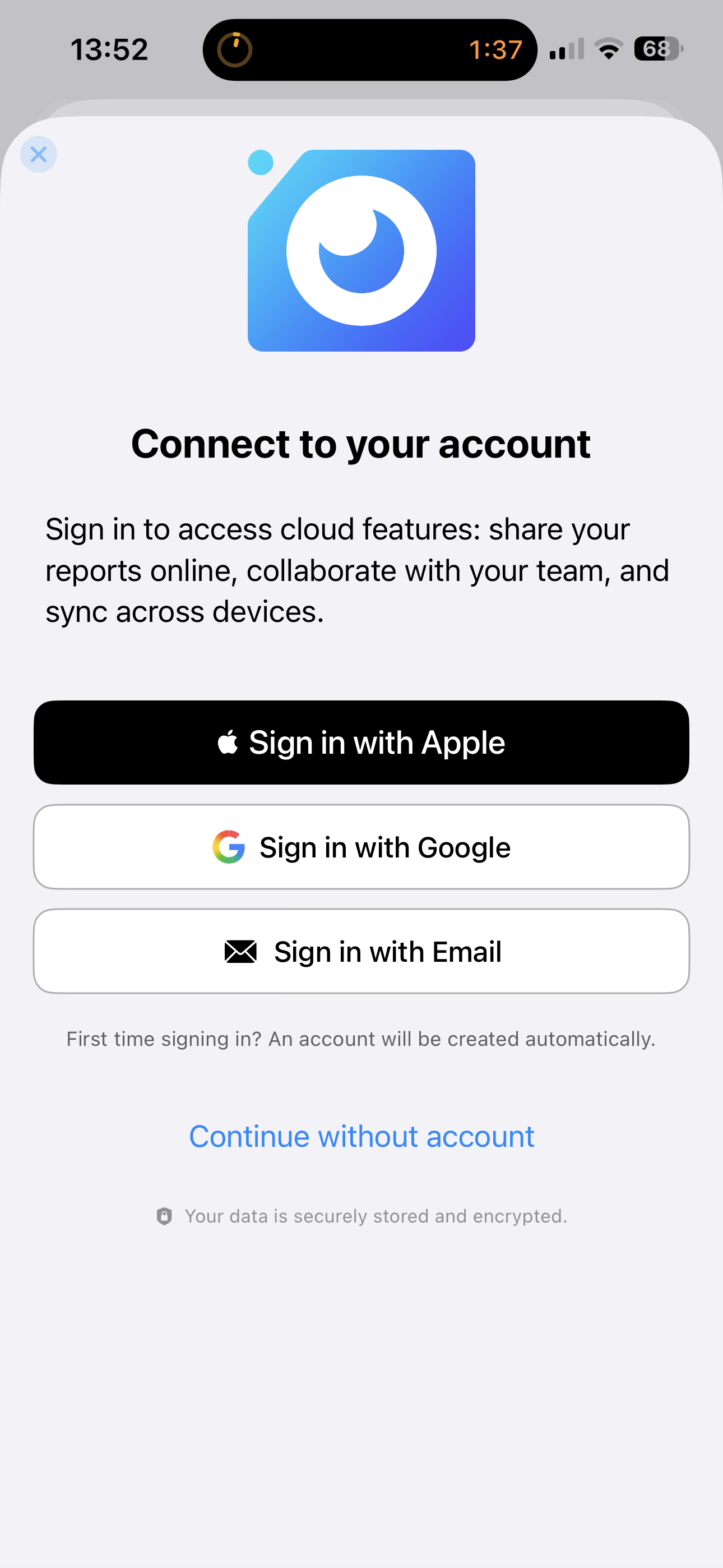
Google Sign-In is now available as a third option alongside Apple and email. For teams that already run on Google Workspace, this removes the friction of a new password and means anyone you invite to a Teams project can be onboarded in one tap.
We also added a proper Forgot Password flow with a deep-link redirect back to the app. Tap the link in the reset email on your iPhone, set a new password, and you land directly back inside PhotoReport, signed in, where you were. Small, but the kind of detail that matters when a teammate is trying to get back into their account at the start of a busy site visit.
We have always been deliberate about the human, founder-led side of onboarding: when you sign up, you can expect a real reply from us if you write. That is unchanged. Sign-in is just less in your way now.
iOS 26 Liquid Glass
PhotoReport 2026.4 is the first version of the app to fully adopt iOS 26’s new Liquid Glass design language. Buttons, project cards, notification banners, and status badges all picked up the translucent, depth-aware styling that ships with iOS 26.
If you upgraded to iOS 26 around the time PhotoReport 2026.4 dropped, the app should feel “of the system” rather than “left over from iOS 25”. On iOS 18, the app falls back to the standard styling cleanly. No version of iOS is left out, and no upgrade to iOS 26 is required to enjoy the rest of this release.
How to Update
PhotoReport 2026.4 is a free update for every active user. The Teams plan is the only piece that requires a new subscription, and you only need it if you actually want real-time team collaboration. Free and Pro users get the auth improvements, audio comments, rapid capture, the multi-criteria filter bar, the notification center, the iOS 26 styling, and multi-device sync for their own projects, at no cost.
Download or update PhotoReport on the App Store.
What Comes Next
2026.4 is about capture and sync: getting your team’s site work onto a shared, always-current cloud. The natural next question is what you do with that data, and that is what version 2026.5 (one month later) addresses, with a brand-new Create Report flow, content filters that travel into the deliverable, mobile-friendly HTML reports, and audio comments finally rendered inside shared reports. When you are ready, our PhotoReport 2026.5 announcement is the natural sequel to this post.
Have feedback on these new features, or a suggestion for what should ship next? Write to us from the app via Settings, then Feedback, or contact us directly from our contact page. We read every message, and the founder personally replies to most of them.